

This page shows Mac shortcuts. On Windows, use
Ctrl wherever you see ⌘.See all shortcuts inside TalkToHumans
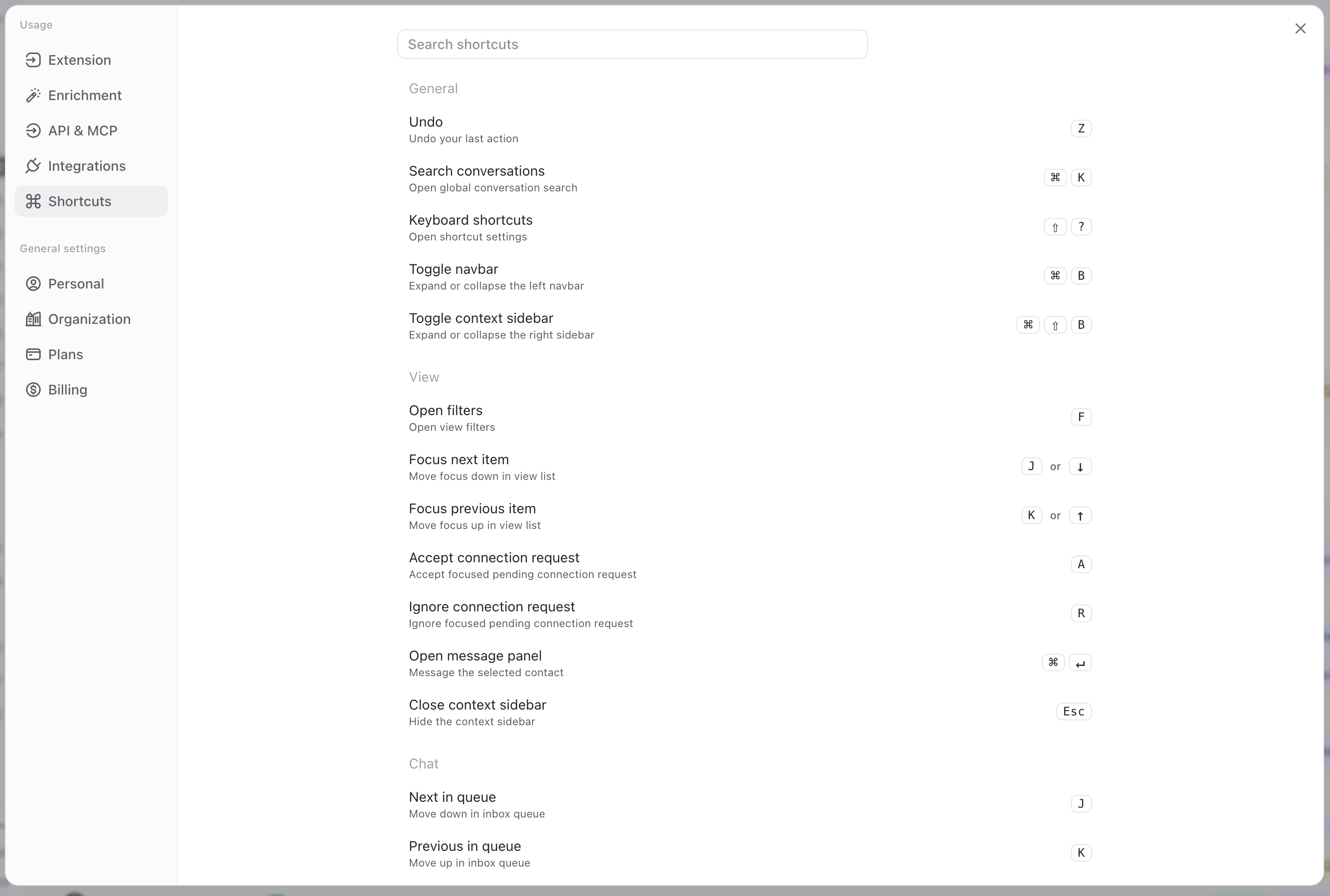
PressShift + ? from anywhere in the app to open the complete shortcut list.
You can also open the help menu in the bottom-right corner and select Shortcuts.
A real example of a shortcut flow
Here is a real flow using shortcuts, so you get a good idea of how to combine them efficiently:- Open a contact view, like Imported
- ress
JorKto focus a specific contact. - Press
Enterto open their contact panel. - Press
Enteragain to open the message panel. - Press
Enteronce more to focus the composer. - Write your message, then press
⌘ Enterto send it. - Unfocus the composer by pressing
Esc. - Tag the conversation by pressing
L, then use the arrow keys and pressEnterto select the right tag. - Press
Jto move to the next contact. - Press
Eto archive this contact if it’s not relevant. - Rinse & repeat
List of all shortcuts
Global
Contacts and companies
Inbox and conversations
Composer
When the templates menu is open: