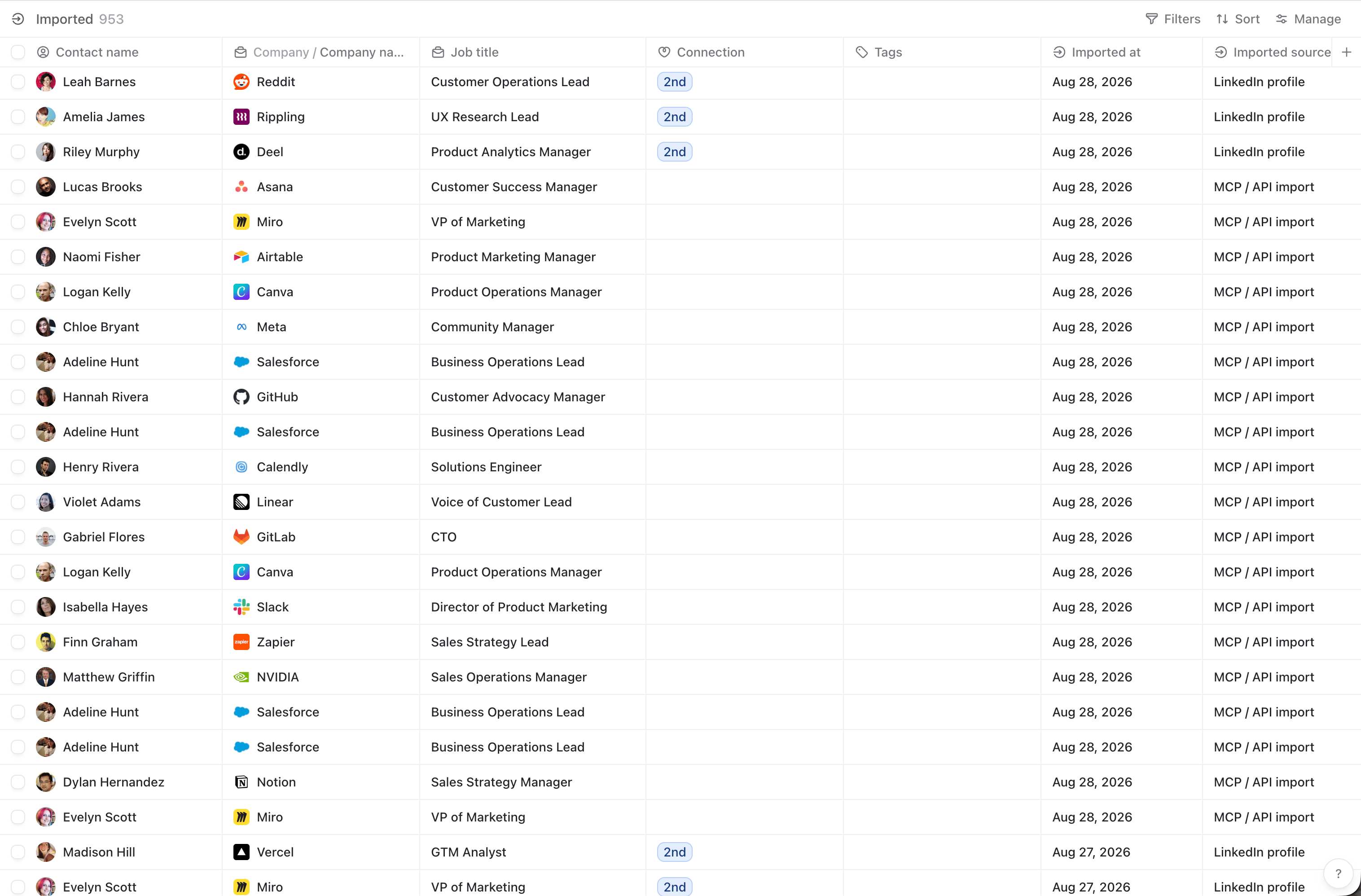
Your existing network and conversations
Once you have set up TalkToHumans, your LinkedIn data syncs automatically. You can find contacts from your existing conversations, invitations, and connections.For large LinkedIn accounts, the initial sync can take a moment
Import from a LinkedIn profile
When you visit a LinkedIn profile, you can use TalkToHumans’ Smart Embed to quickly import that person into TalkToHumans: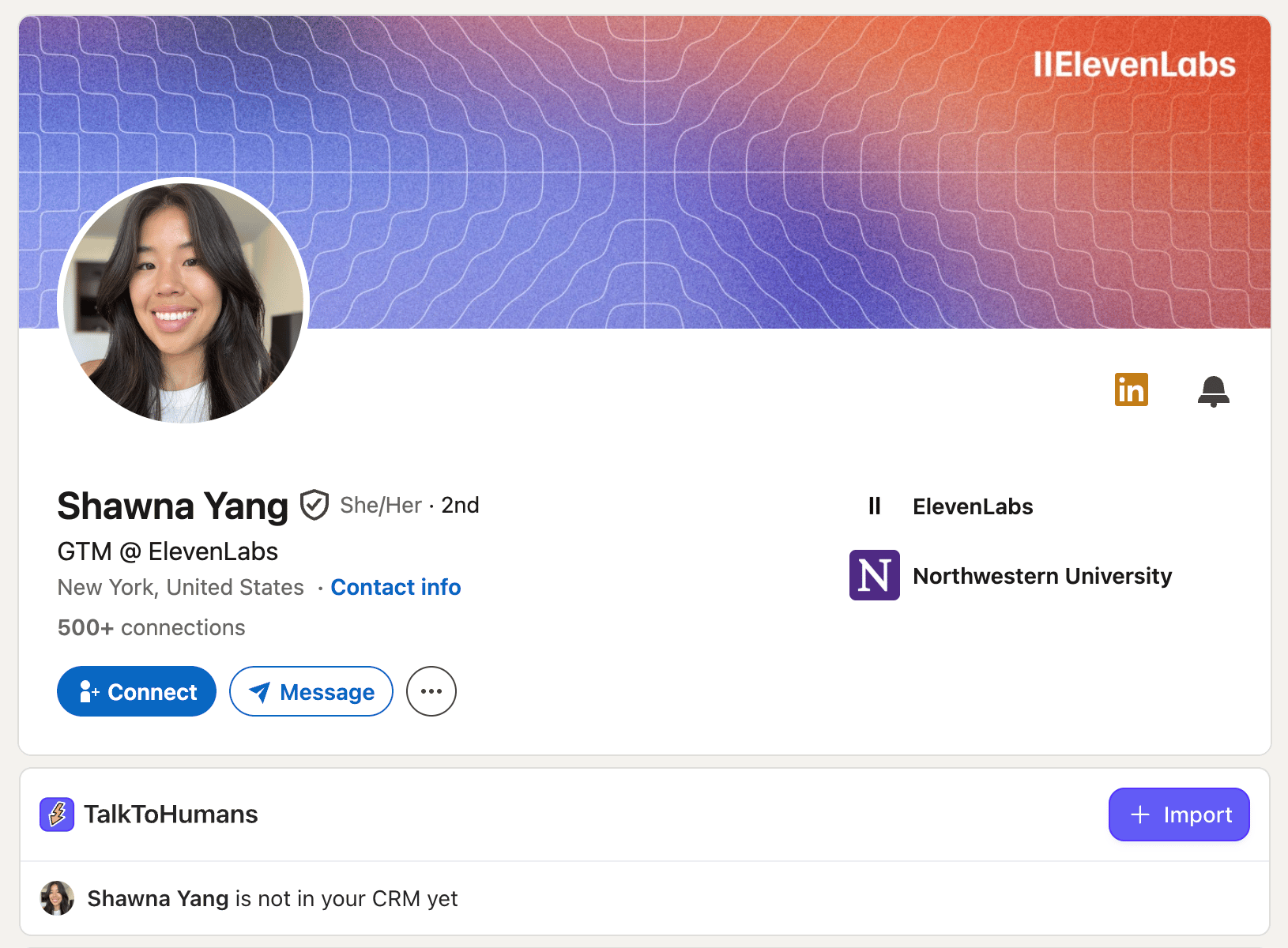
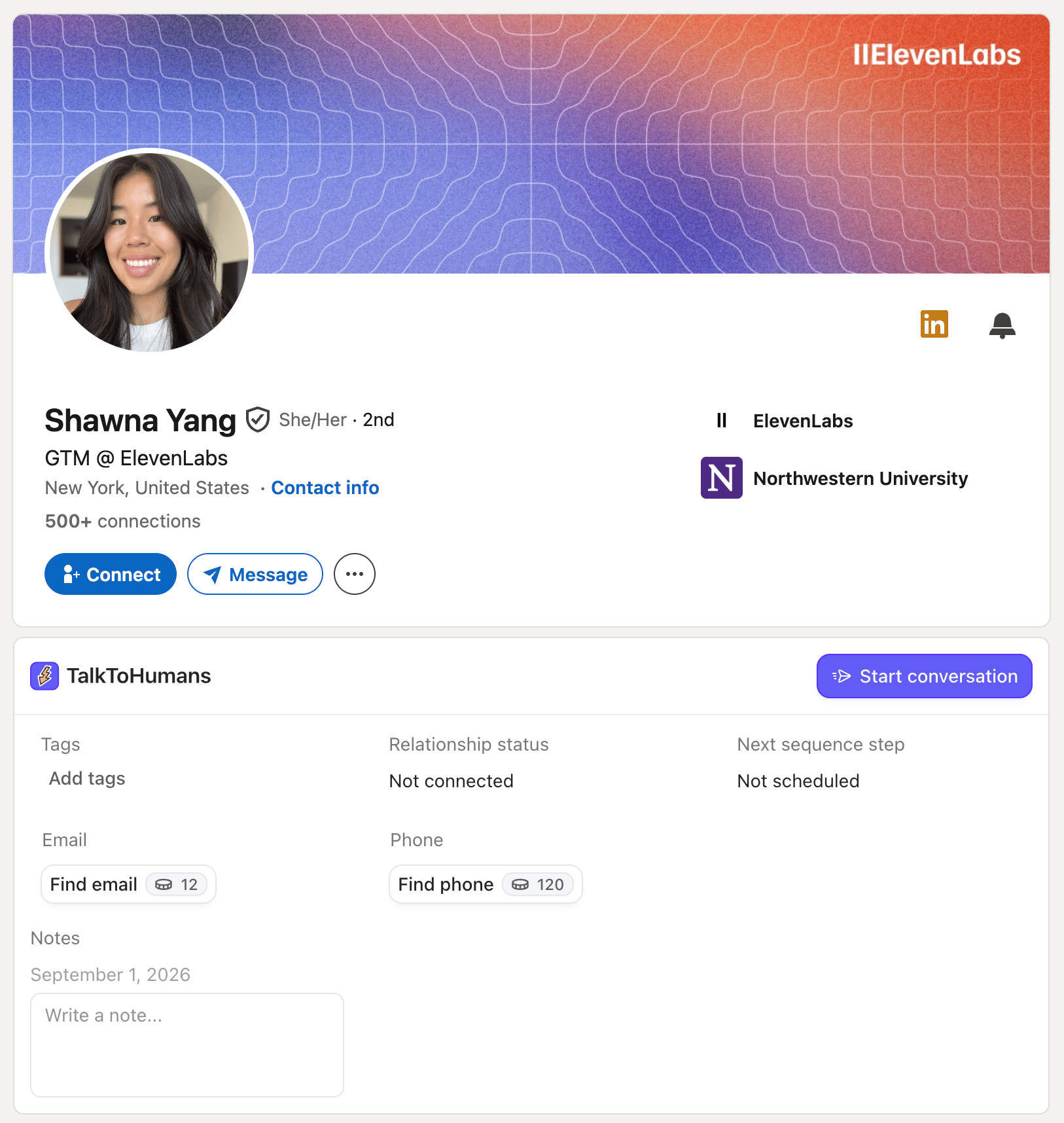
You can quickly start a conversation with that person by clicking the “Start conversation” button. This will open the TalkToHumans chat sidebar directly on LinkedIn.
Import leads from a Sales Navigator search
If you have a Sales Navigator subscription, you can import selected leads directly from a people search: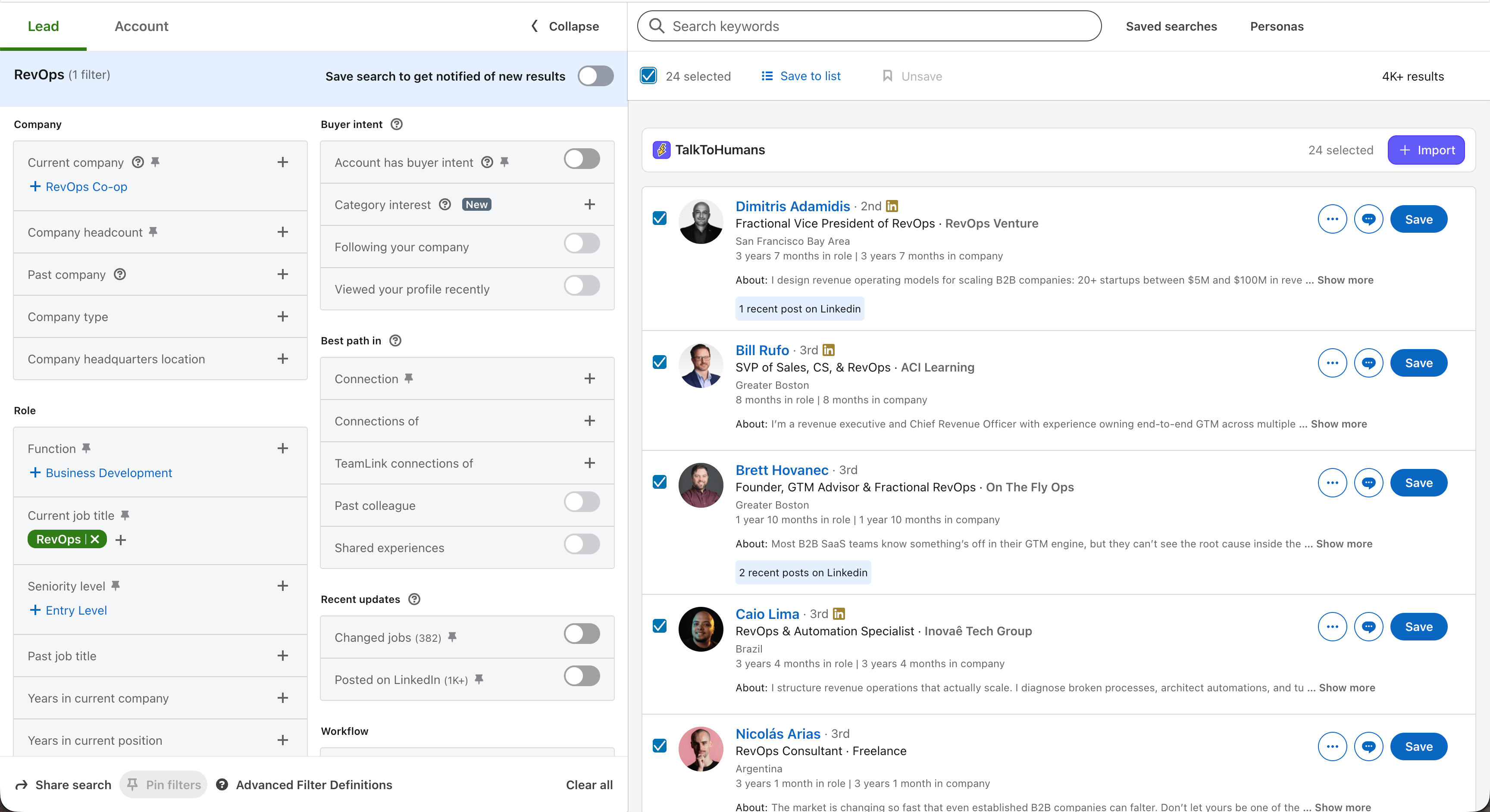
Sales Navigator imports will run in the background, so larger selections may take a moment to appear in TalkToHumans
Import leads from a regular LinkedIn search
If you don’t have a Sales Navigator subscription, you can search for and import leads directly from a LinkedIn people search: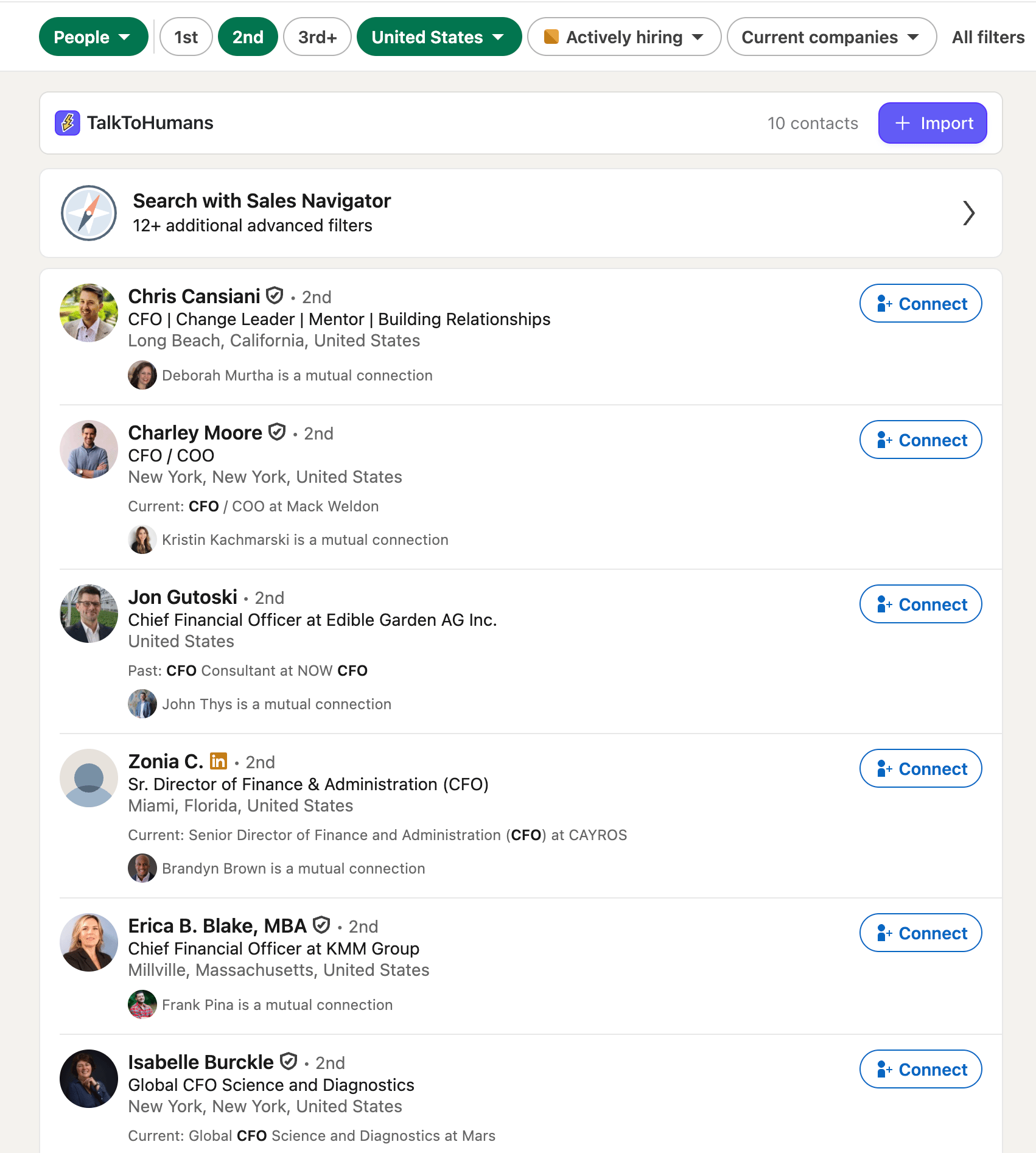
LinkedIn search imports will run in the background, so larger selections may take a moment to appear in TalkToHumans
Import contacts via the MCP or API
For contacts coming from your CRM, Clay, a spreadsheet, an AI search, or another part of your GTM stack, use the TalkToHumans MCP or API:- Use the TalkToHumans MCP to let tools such as Claude or Codex import and organize contacts.
- Use the Import contact API to push contacts from your own workflows and integrations.
Find imported contacts
Open the default Imported view in TalkToHumans: