Create inboxes using tags
Need to organize conversations by pipeline stage, topic, customer, or any other workflow? Simply assign a new tag to a conversation. TalkToHumans automatically creates a dedicated inbox for it. From then on, every conversation with that tag appears in this inbox.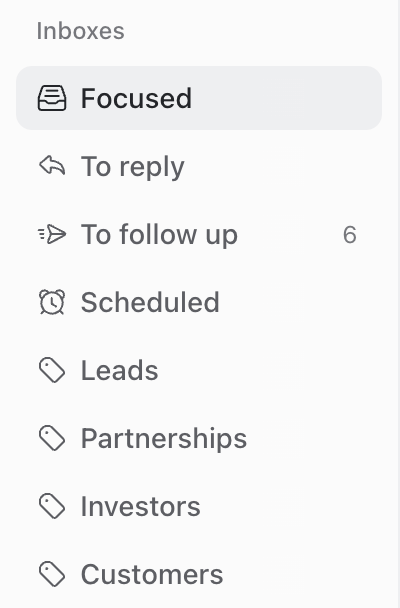
Move through your inbox
When you open a conversation from an inbox, use the arrows in the header, or pressJ and K, to move between conversations without returning to the inbox.

Z to undo the action and get back to the previous conversation)
Core inbox shortcuts
See the complete list of keyboard shortcuts.
Advanced options
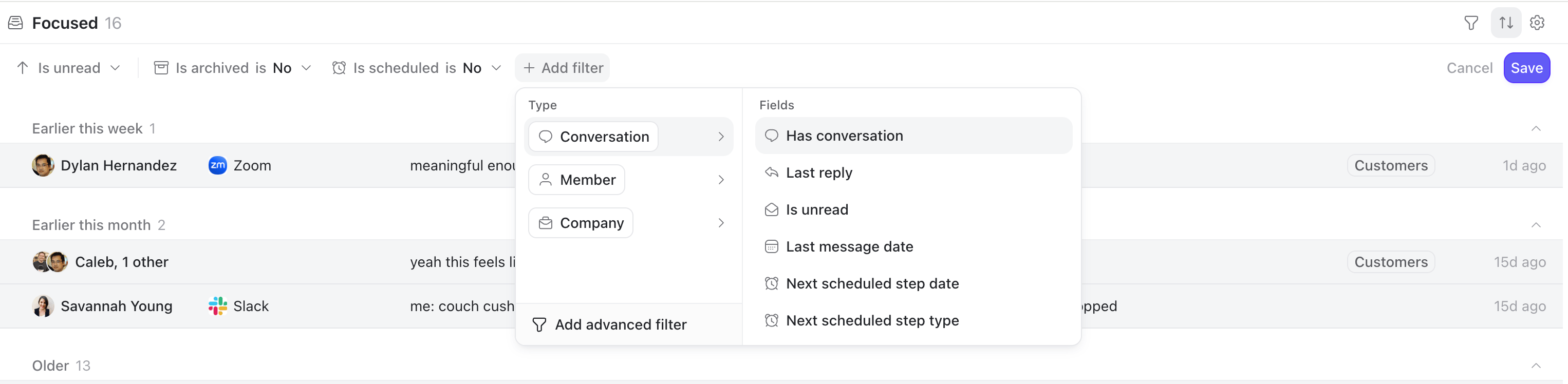
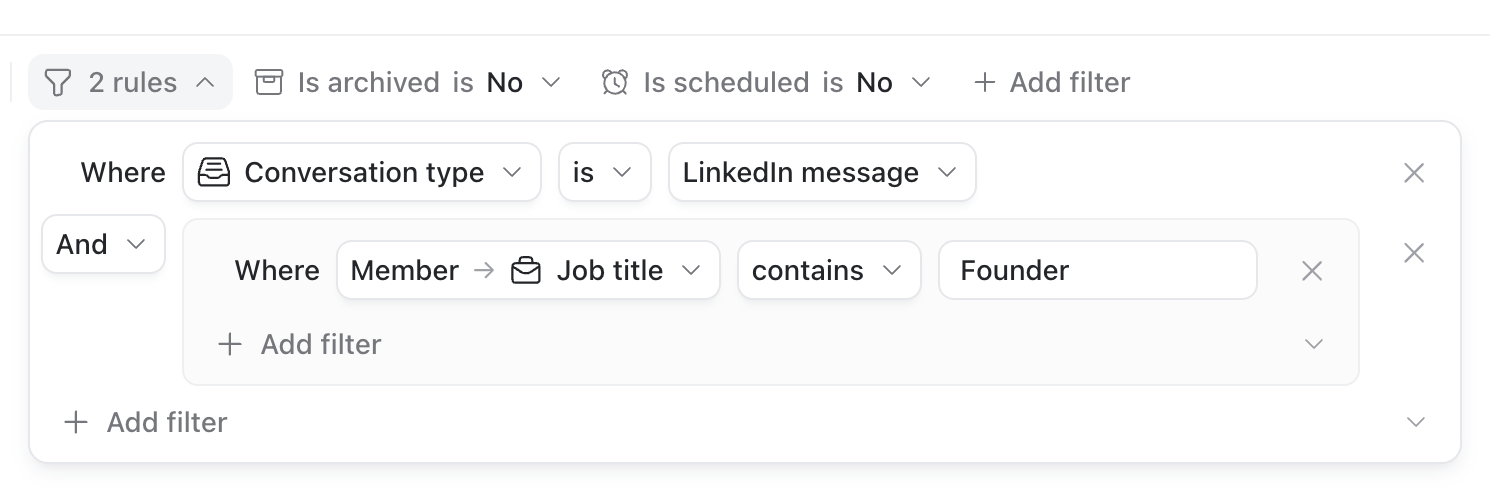
Inboxes are fully customizable, like views in Notion. There are two ways to customize an inbox:- Use the inbox settings to change its name, icon, description, grouping, counter, and sidebar visibility.
- Use the controls in the inbox header to change its filters and sorting.
Create a new inbox
Click the settings icon next to Inboxes in the sidebar, and then click the button “New view”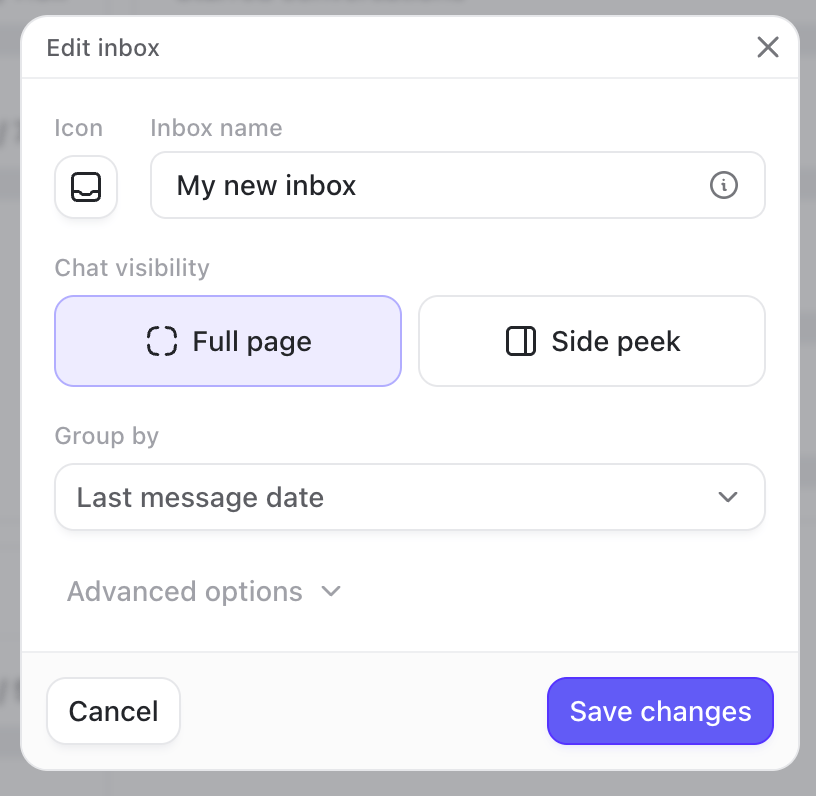
- Give the inbox a name, icon, and description.
- Select your preferred layout (full page or side peek).
- Define how conversations should be grouped.
- Choose whether its counter shows unread or total conversations.
- Show it in the sidebar only when it contains unread conversations.
Change filters and sorting
Open the inbox, then use the controls in the header to adjust the filters and sorting: