

We strongly recommend using this feature solely for reviewing what you wrote, not as a way to replace yourself. AI-written outreach is easy to recognize, rarely feels personal, and contributes to the growing volume of low-quality content on LinkedIn.
Run a saved AI prompt
- Open a conversation.
- Click Ask AI, or press
,twice. - Choose one of your saved prompts.
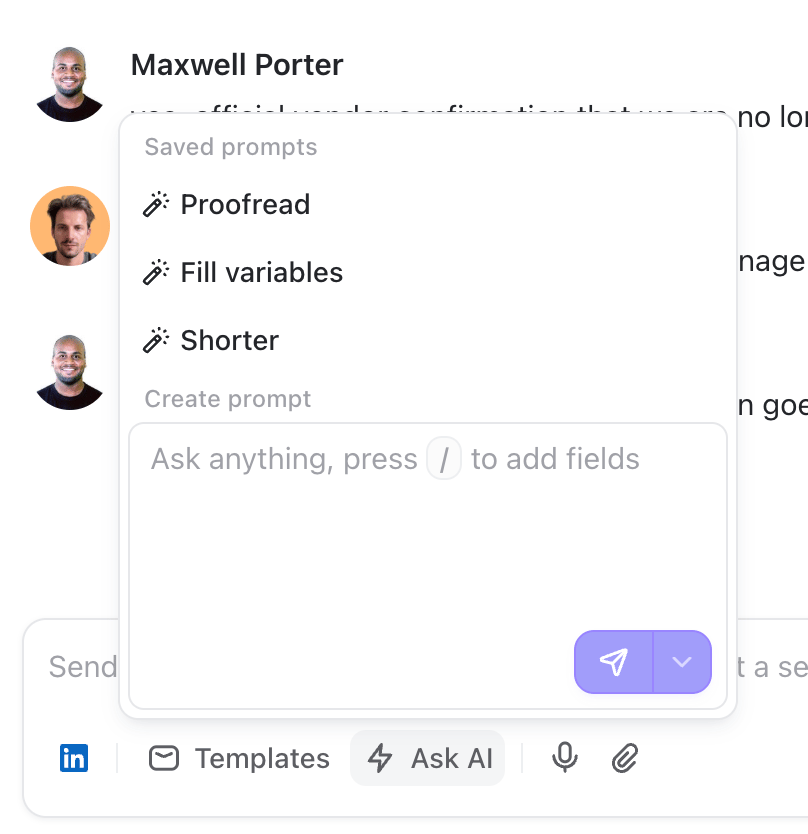
- Proofread fixes typos, grammar, and awkward phrasing without changing your tone.
- Fill variables keeps your message as it is, but replaces missing custom variables like “{{reason_to_reach_out}}” to personalize it.
- Shorter makes your message shorter while keeping the substance.
Run a one-off AI prompt
Sometimes you just want to ask AI to make a quick, specific edit. Open Ask AI, write an instruction under Create prompt, then click the send icon: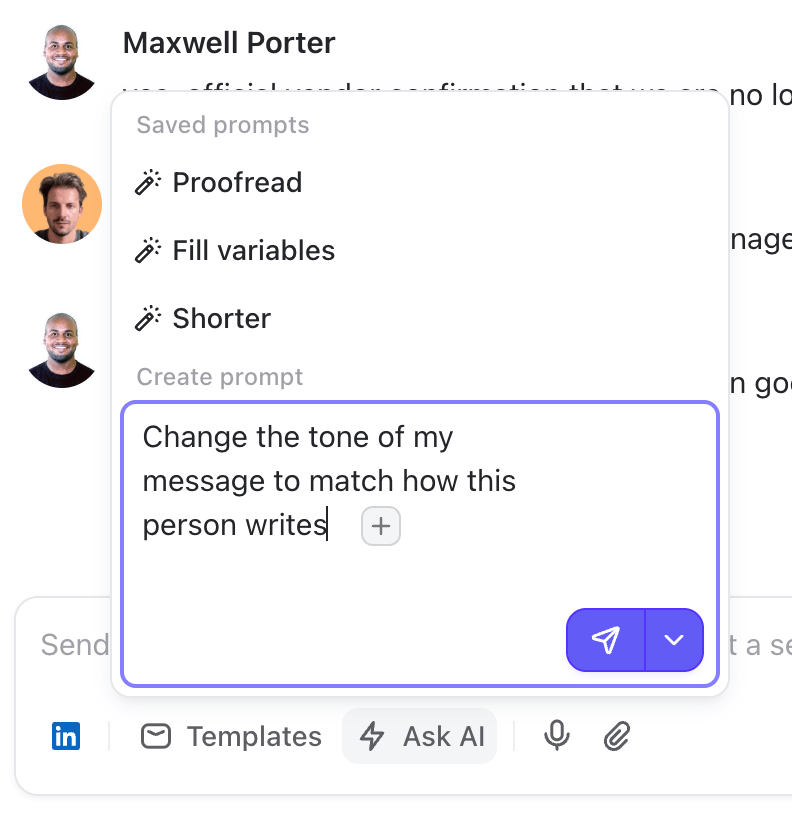
If you want to reuse this prompt later, open the arrow beside the send icon and select Save as prompt.
Rewrite only part of a message
Sometimes the message is fine except for one sentence. Select the text you want to change, then open Ask AI and run a saved prompt or write a one-off instruction. Only the selected text is replaced. Everything around it stays untouched.Create a reusable AI prompt
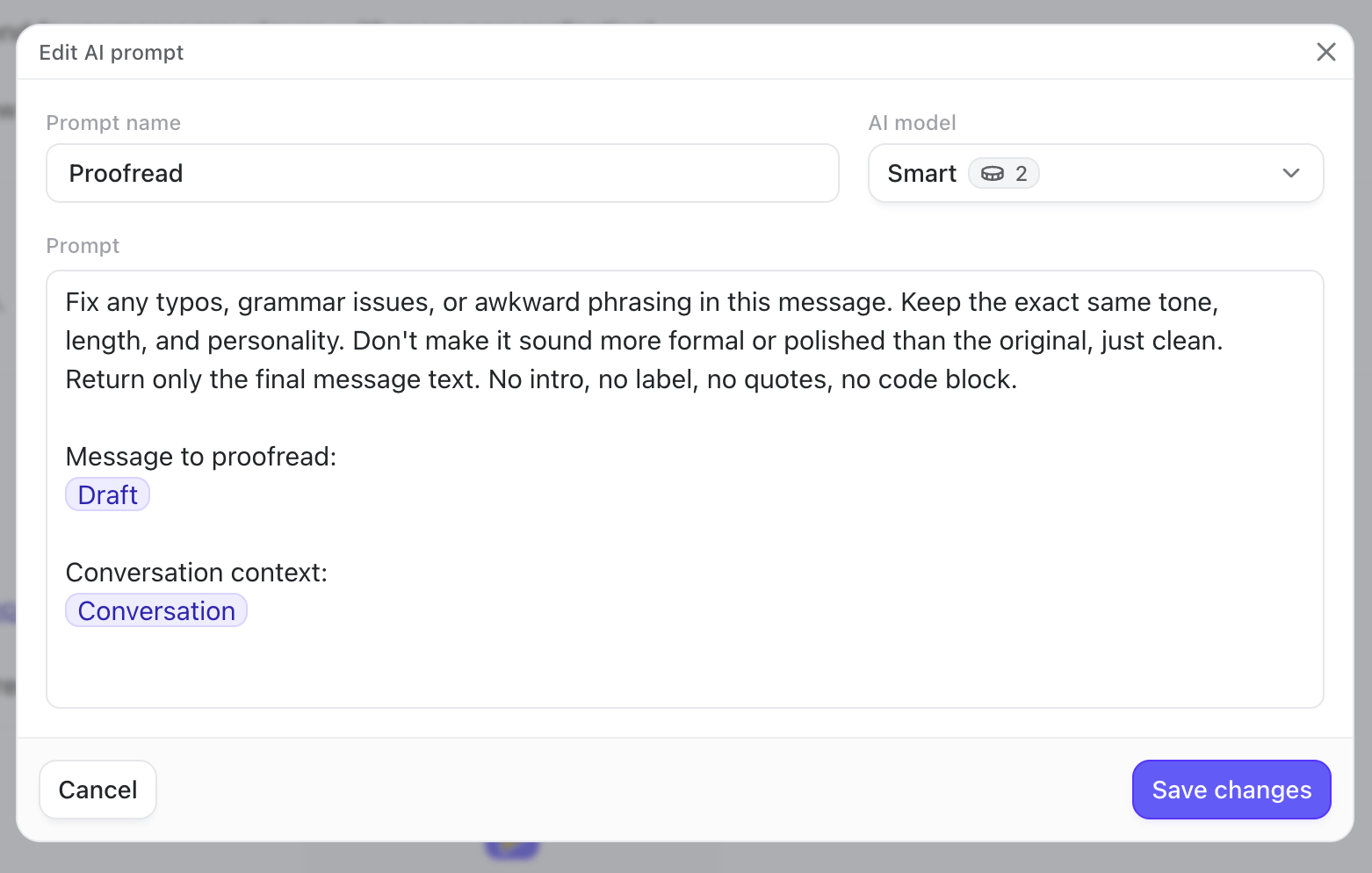
You can turn any prompt into a reusable prompt for yourself and your team:- Open Ask AI.
- Write your prompt under Create prompt.
- Open the arrow beside the send icon and select Save as prompt.
- Give the prompt a clear name.
- Choose Fast or Smart.
- Review the prompt, then click Create prompt.
AI prompts are shared within your organization by default
Add context to your prompt
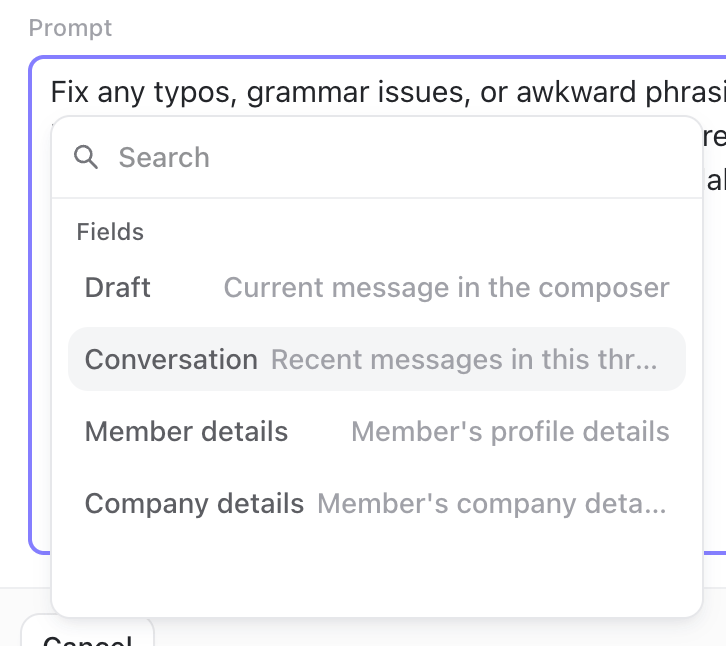
Press/ inside the prompt editor to insert any of these fields:
- Draft: the text currently in the composer, or only the selected text if you’ve made a selection
- Conversation: the messages in the current LinkedIn thread
- Member details: the contact’s profile, including available work experience, education, languages, and location
- Company details: information about the contact’s company, including available headcount data
Choose between Fast and Smart
Each saved prompt uses one of two AI models:- Fast costs 1 credit per run. Use it for proofreading, shortening, translating, or other direct edits.
- Smart costs 2 credits per run. Use it when the AI needs to understand a longer conversation, draft a reply, or personalize a message for a specific person.