Unlike campaign-based tools, TalkToHumans sequences are attached to a single conversation. You review them one person at a time, personalize every message, and stay in control of what gets sent.

How sequences work

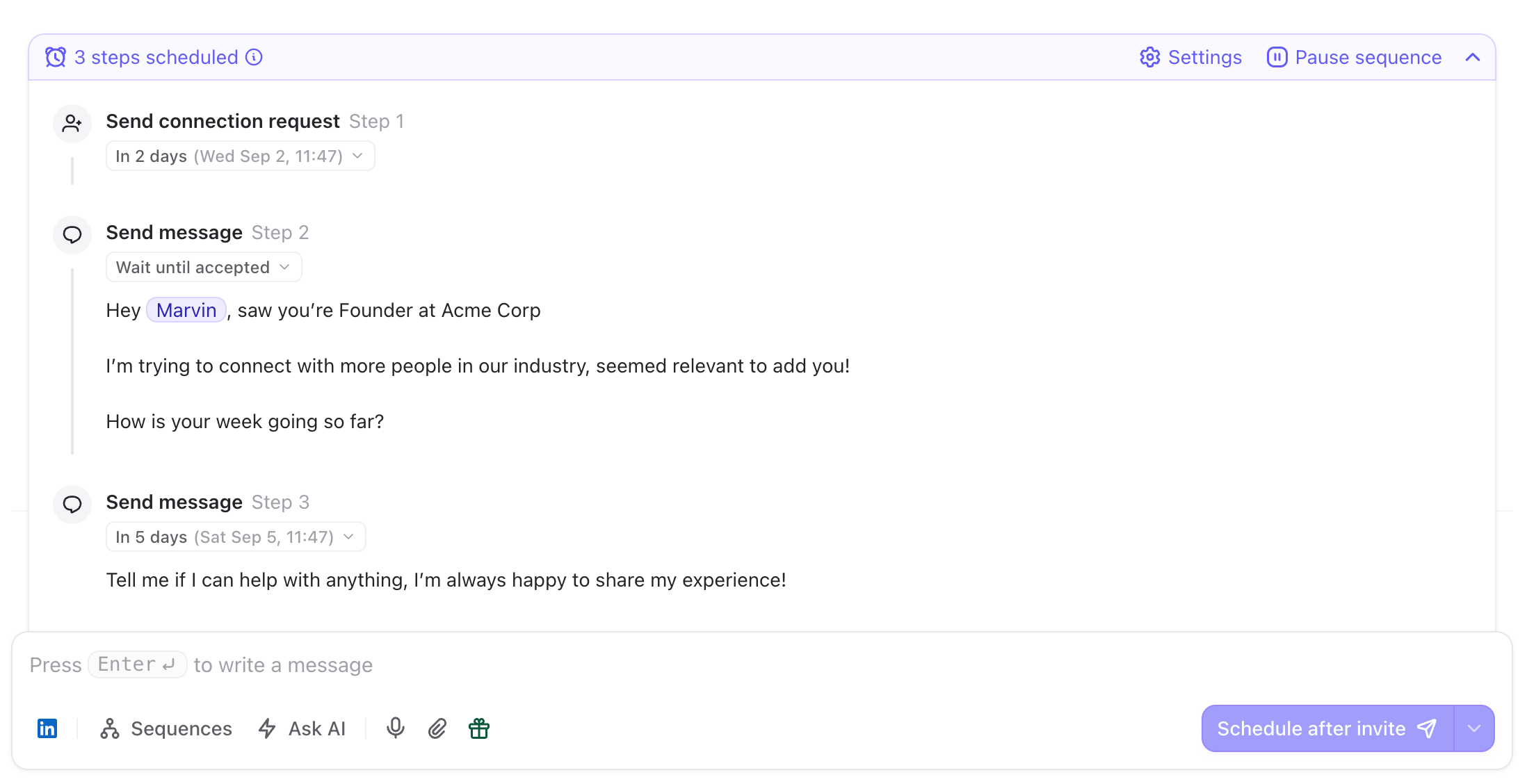
A sequence is a series of scheduled actions attached to a conversation. Active Sequence Running The first step normally goes out within a minute after you launch the sequence. You can also delay it if you want the entire sequence to start later. Every following step waits for the previous step to complete. If a connection request comes first, the next message waits until the person accepts it. The delay you choose starts from the moment they accept the request. By default, sequences stop if the person replies.
Create a sequence

1. Open the composer

Open the conversation and press Enter to focus the composer. You can start a sequence in two ways:
  • Press Enter three times to quickly create a new sequence:
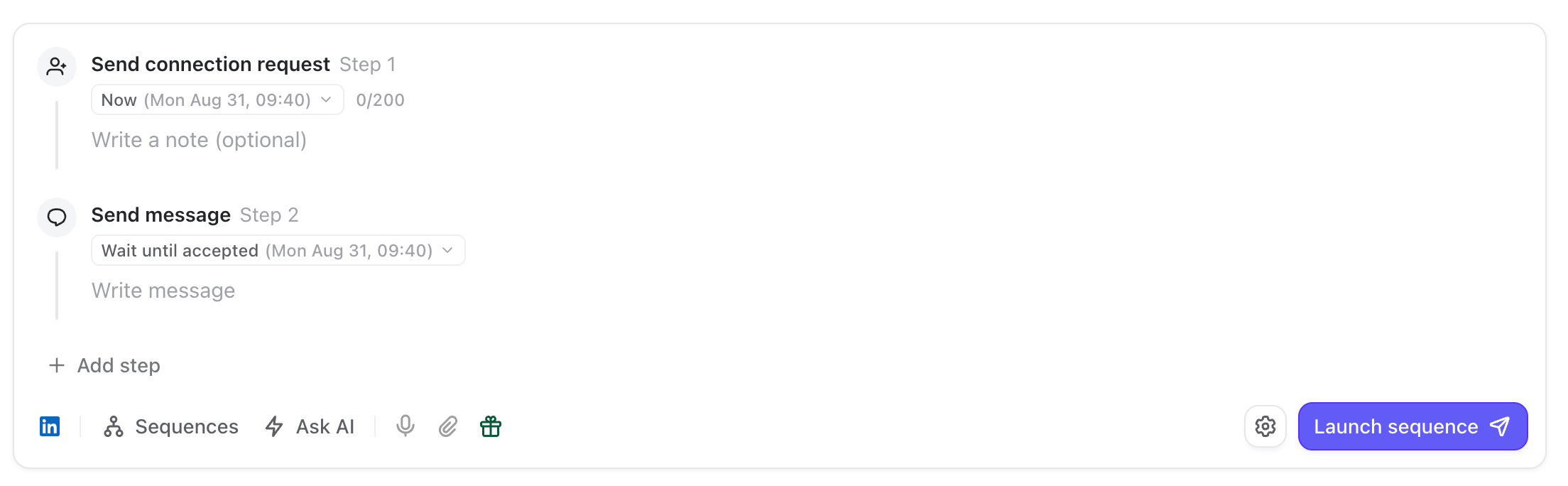
Composer Inline Sequence Draft Creation 1
  • Click β€œSequences” in the composer and choose a sequence template:
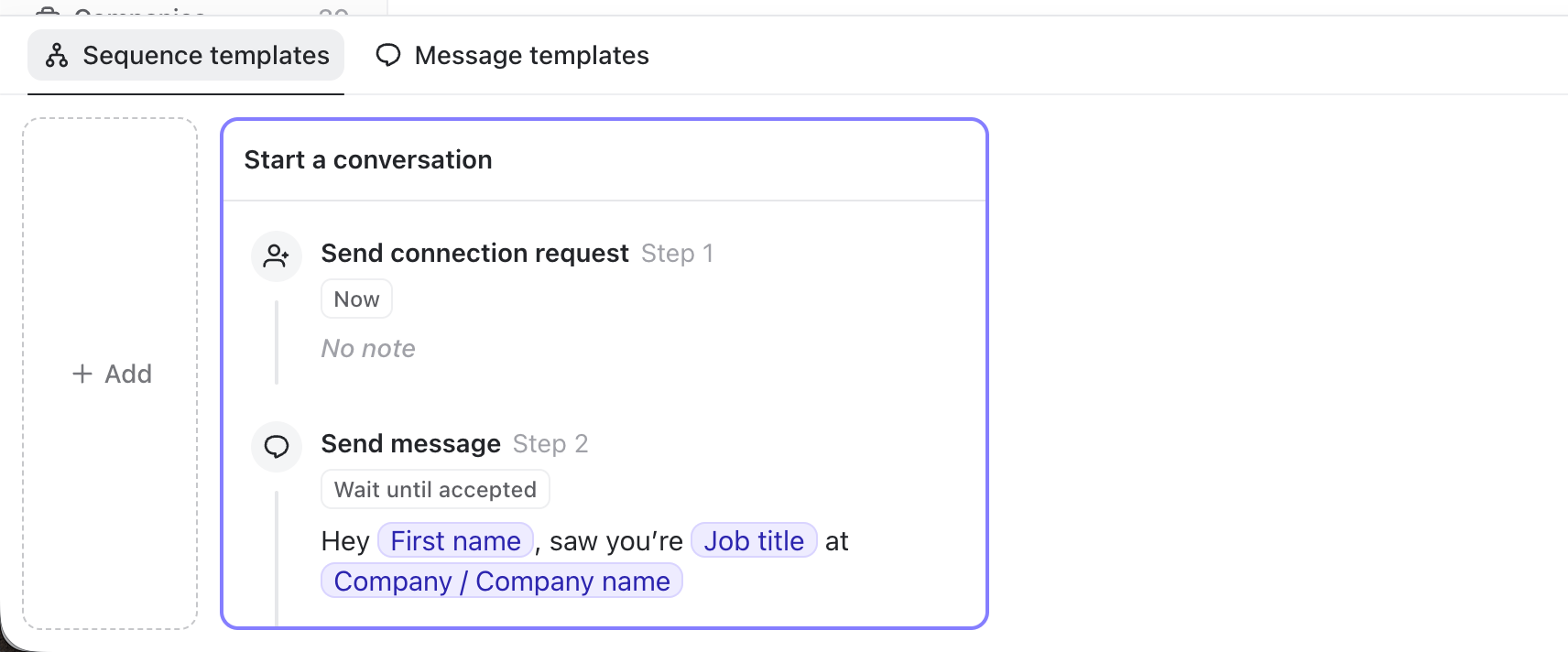
Composer Templates List 1

2. Add your steps

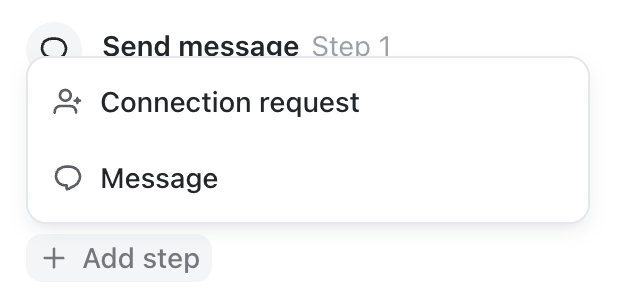
Click Add step to add either a message or a connection request: Sequence Add Steps For each step, you can:
  • Write or edit its content
  • Change it from a message to a connection request, or vice versa
  • Duplicate it
  • Delete it
  • Drag it to another position
You can also press Enter three times inside any message to split it and create the next step without leaving the keyboard.

3. Choose when each step should run

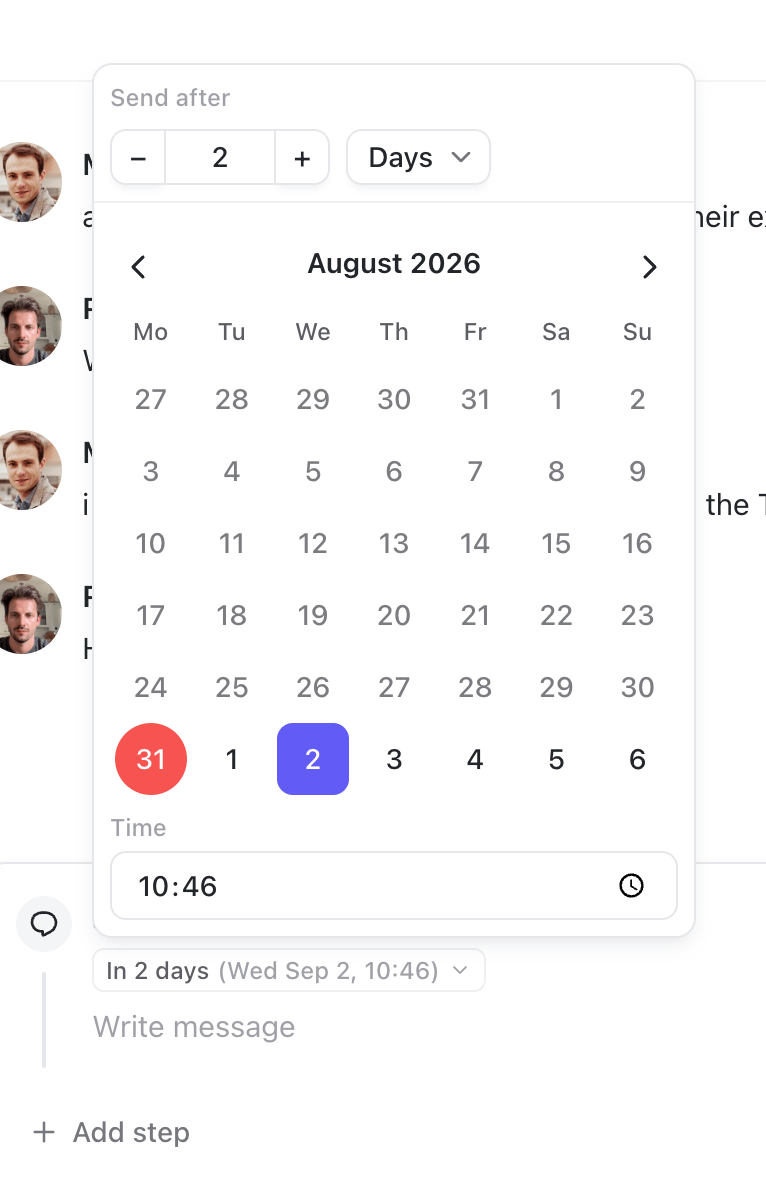
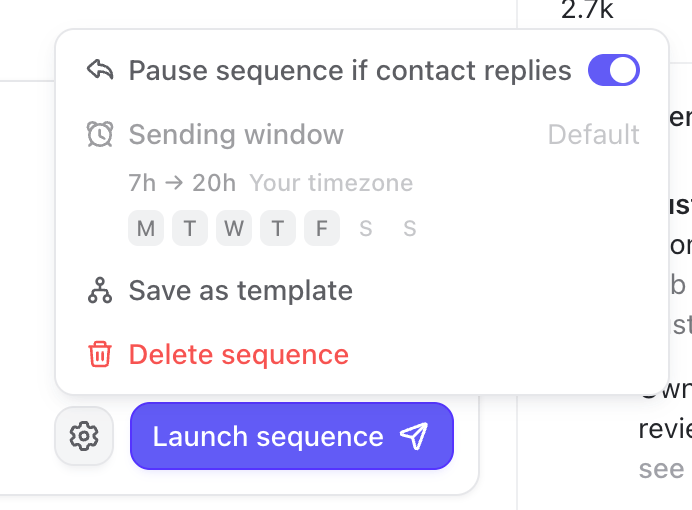
Click the timing label on a step to change its delay: Composer Sequence Edit Delay Step You can define the delay in minutes, hours, or days, or pick the exact date and time you want the step to run. TalkToHumans shows the estimated time beside every step, so you can review the complete schedule before launching it. Sequences only run during the sending window shown in Sequence settings: Sequence Availability Window The default window is Monday to Friday, from 7 AM to 8 PM in your browser’s timezone. If a step falls outside that window, it waits until the next sending window opens.
4. Personalize the sequence

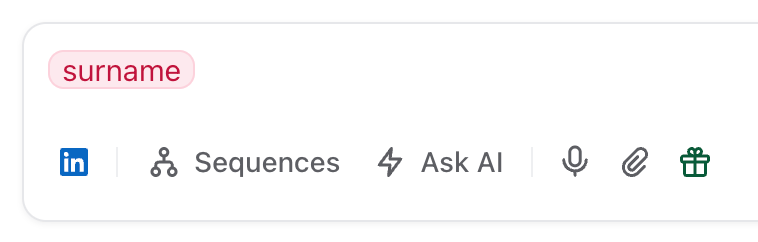
In TalkToHumans, templates are starting points, not campaigns. Before launching, review every step and make it relevant to the person you’re contacting. If your template contains variables such as the person’s first name, job title, company, or one of your custom fields, TalkToHumans shows the resolved values directly inside the sequence. Missing or invalid values are highlighted before anything is scheduled: Invalid Custom Variable
5. Launch the sequence

Press ⌘ Enter or click Launch sequence.

Manage a running sequence

Once launched, upcoming steps appear above the composer. Active Sequence Running
  • Pause or resume the entire sequence
  • Edit an upcoming message
  • Reschedule a step
  • Reorder upcoming steps
  • Copy or delete a step
  • Delete the entire sequence
  • Choose whether the sequence stops when the person replies
  • Review the sending window
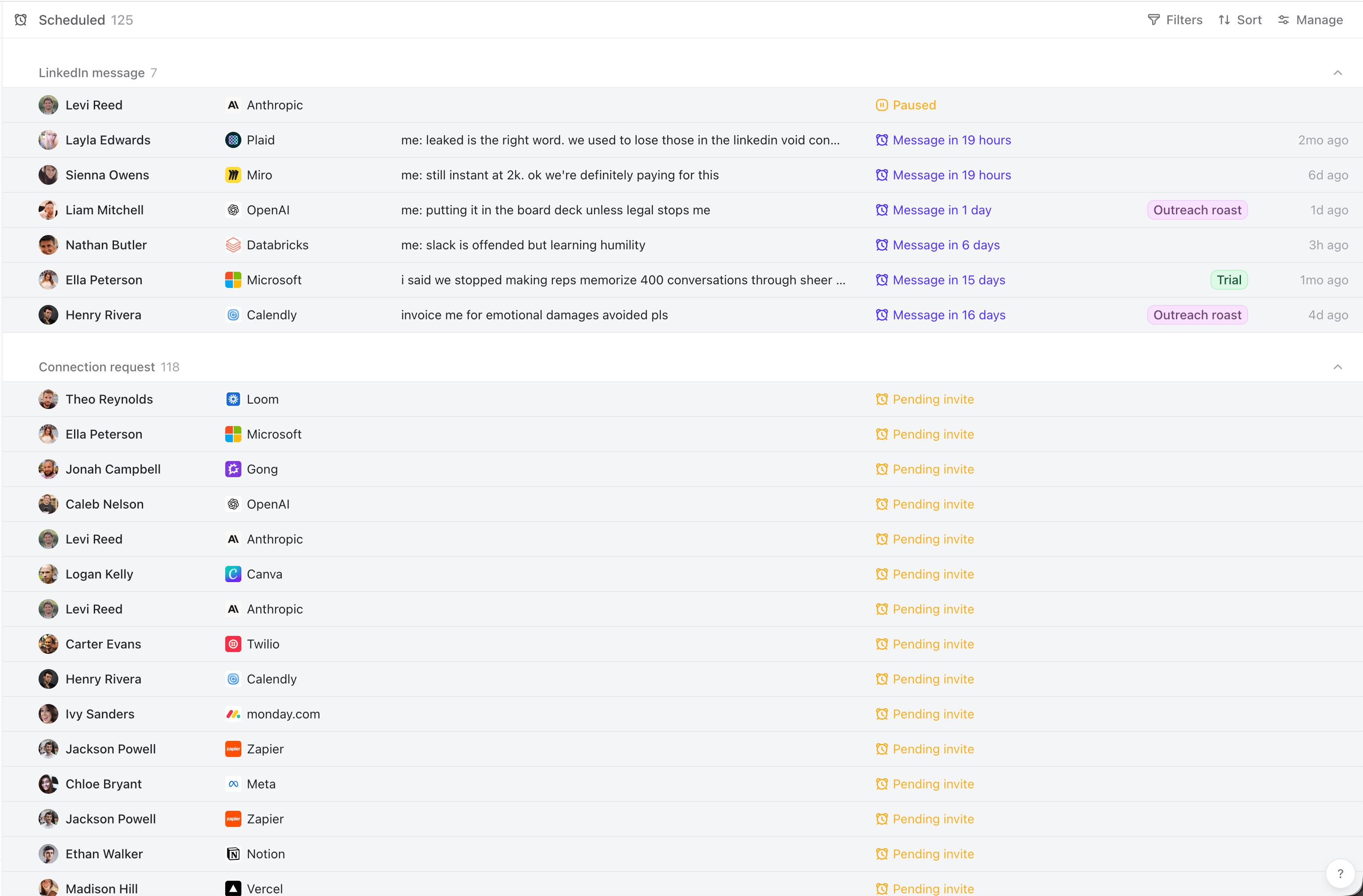
Upcoming actions also appear in your Scheduled inbox, where you can review them across conversations: Inbox Scheduled Review See Manage your inbox for the complete workflow.

Why your browser needs to stay open

Sequences run through the same browser and LinkedIn session you normally use. If your browser is closed, scheduled steps wait. They automatically resume when you come back. A step may also wait if you reach a LinkedIn daily limit or if your sending window is closed. This is an intentional safety tradeoff. TalkToHumans helps you follow through reliably without reproducing your LinkedIn session on a remote server. For most users, this isn’t a problem, as their computer and browser are already open throughout the workday. See Why it’s safer for more details.

Sequences are not campaigns

TalkToHumans does not let you select hundreds of people and apply the same sequence to all of them. You work through contacts one by one, using inboxes, queues, templates, and keyboard shortcuts to move quickly. Yes, it requires a little more attention, but the benefit is that you review who you’re contacting, catch irrelevant messages before they’re sent, and usually get higher reply rates. Put differently, our philosophy is: lower volume, higher reply rates, lower risk.