
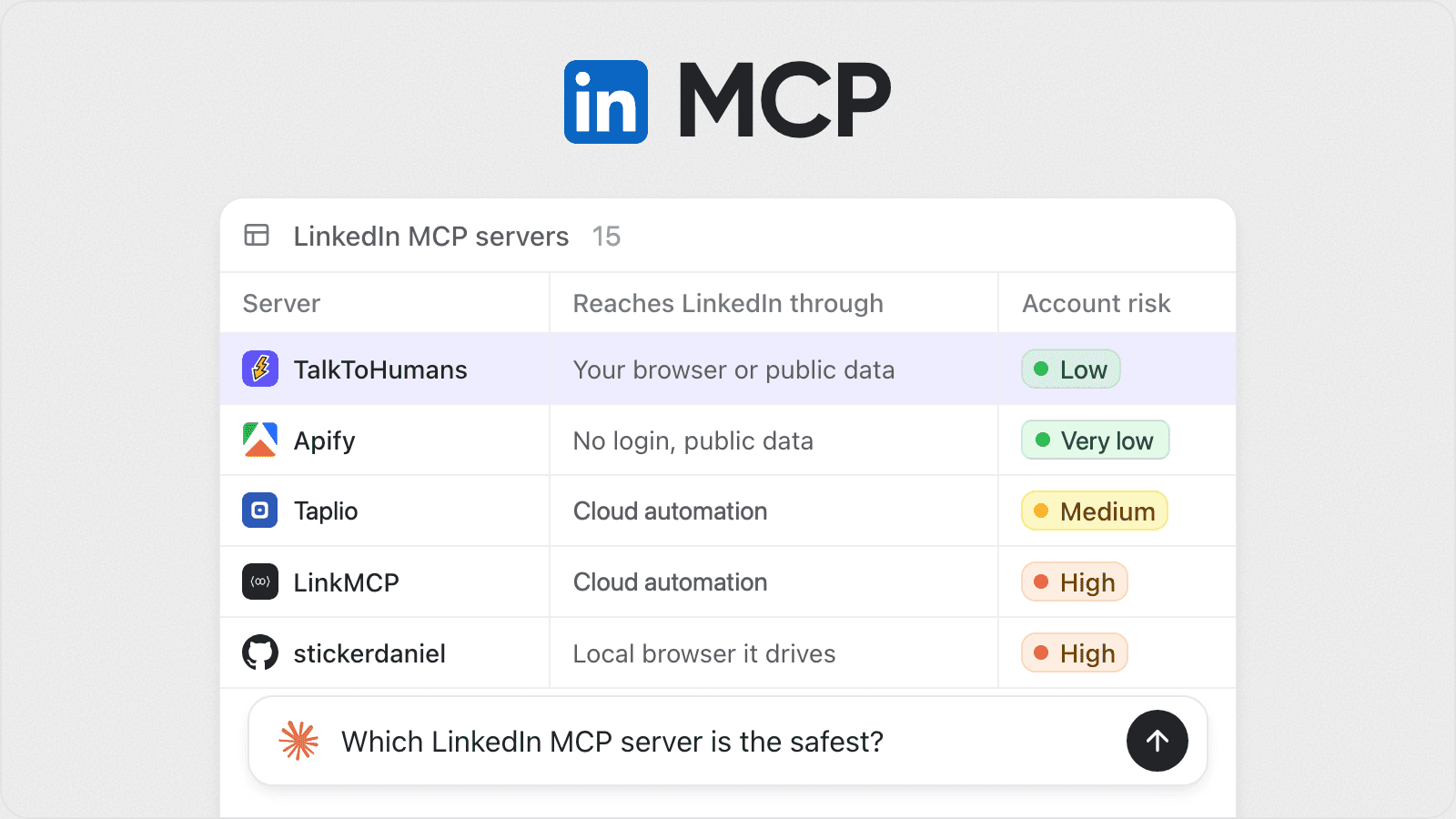
A LinkedIn MCP server lets Claude, ChatGPT or Cursor work with your LinkedIn: read your inbox, search for leads, look up profiles, draft posts.
Unfortunately, even in the AI era, LinkedIn doesn't publish one. Every LinkedIn MCP server is third-party, and they are not all as safe as you might think.
In short
| If you want to… | Use |
|---|---|
| Give Claude, ChatGPT or Cursor access to your whole LinkedIn: inbox, network, leads and posts | TalkToHumans |
| Let an agent work your DMs and draft replies you review before sending | TalkToHumans or Kondo |
| Run lead and Sales Navigator searches from your agent | TalkToHumans or LinkMCP |
| Pull public profiles, company data or posts without your account | TalkToHumans, Bright Data or Apify |
| Write and schedule posts through LinkedIn's official API | Liftli or Postiv |
| Search job posts | Apify or Bright Data |
| Self-host for free and tinker | stickerdaniel/linkedin-mcp-server |
| Let the agent send messages and connection requests itself | LinkMCP or Linked API |
Is a LinkedIn MCP server safe?
LinkedIn is useful because it is strict. That is the uncomfortable tradeoff.
If LinkedIn let everyone have fake profiles, automate DMs and fake engagement, the platform would become unusable very fast.
But LinkedIn also makes life hard for people who use it as a daily work surface: founders, sales teams, recruiters, or content creators.
They need more than what LinkedIn natively offers.
So people turn to third-party LinkedIn tools. Some are relatively harmless, while others carry significant risk.
The safest are the ones that never log in as you: TalkToHumans, Bright Data and Apify return public data from their own infrastructure, and Liftli and Composio use LinkedIn's official API.
But there are two problems:
- LinkedIn's official API is extremely limited: it cannot support most common use cases people have.
- LinkedIn tools using only public data can't read or do anything specific to your account: your inbox and messages, your network and invites, people who viewed your profile, etc.
Here are some criteria to consider:
1. Where do the actions run?
From your own browser, LinkedIn sees your usual device, browser and IP.
From a vendor's cloud, it sees a reproduced browser on someone else's servers, and the vendor usually holds your password.
- Your browser: TalkToHumans and Kondo (through an extension), stickerdaniel (a local Chromium window it drives).
- Vendor's cloud: LinkMCP, Linked API.
The catch with your own browser: it has to be open to apply LinkedIn actions.
But for most people, it's not a problem, as they have their browser open all day long.
2. Does every question your agent asks hit LinkedIn?
A server that reads LinkedIn live loads pages for each question. Ask it to go through 200 conversations and your account does 200 conversations' worth of activity.
TalkToHumans syncs your LinkedIn in the background, and the agent reads that copy.
A hundred questions cost your account the same as one.
3. Who enforces the pace?
A limit written into the agent's prompt is a suggestion. An agent told to "reach out to everyone who fits" will try.
What holds is a limit per LinkedIn account, enforced by the server, shared by every agent and teammate on that account, with random gaps between actions.
LinkMCP states 20 invites and 25 messages a day. Most others don't publish theirs. TalkToHumans is very transparent about it (safety limits).
4. Does it use your account for data anyone can get publicly?
Email lookups, company data and public posts don't need your session. A server that fetches them through your account spends your account's activity on them.
TalkToHumans, Bright Data and Apify's enrichment fetch them without it.
5. Can the agent send or publish directly?
- Yes: LinkMCP, Linked API and stickerdaniel expose send tools for messages and connection requests, which is riskier:
AI-written outreach is easy to recognize, rarely feels personal, and contributes to the growing amount of low-quality content on LinkedIn. LinkedIn itself is increasingly fighting this kind of behavior, and automating it can put your account reputation at risk. - After you approve in the tool: ConnectSafely sends the connection note once you approve it. Liftli and Taplio publish posts after you confirm.
- No, drafts only: TalkToHumans and Kondo give the agent no send tool for messages. Instead, agents can draft messages or sequences, and you review and send from the app.
What about Claude in Chrome, ChatGPT computer use or Grok Bot?
Claude driving LinkedIn in your browser needs nothing installed and is fine for a one-off research pass.
As a daily routine it's slow, spends tokens clicking through pages, and is the "automated method" pattern LinkedIn's terms describe: every question becomes live page loads (question 2) with no pace enforced outside the agent (question 3).
Also, those methods are exposed to the LinkedIn UI detection methods that actively check if navigation and click patterns look robotic. Some people got their accounts restricted in a few hours with those methods.
LinkedIn MCP servers compared
Checked November 11, 2026, from each vendor's own pages. Features and prices change, so check them before you pick.
What it can do: 🟢 most of LinkedIn, 🟡 one area (inbox, posts, campaigns or data), 🟠 a single task or public data only.
| Server | What it can do | Account risk | Reaches LinkedIn through | Starting price |
|---|---|---|---|---|
| TalkToHumans | 🟢 Inbox, network, lead search, enrichment, posts & comments | 🟢 Very low to low | No login, public data and/or your browser (extension) | Free trial, then $29/user/mo |
| ConnectSafely | 🟠 Connection requests | 🟢 Very low | Official API | $10/account/mo |
| Composio | 🟠 Posts and comments | 🟢 Very low | Official API | Free tier |
| Liftli | 🟡 Write and schedule posts, draft comments | 🟢 Very low | Official API | Free tier, Pro $29/mo |
| Postiv | 🟡 Write, schedule and analyze posts, reply to comments | 🟢 Very low | Official API | 7-day free trial, then $49.50/mo, yearly |
| Bright Data | 🟠 Public profile, company and job data | 🟢 Very low | No login, public data | Free tier |
| Apify | 🟠 Public profile, company and job data | 🟢 Very low | No login, public data | Free plan |
| Kondo | 🟡 Inbox: read, sort and draft replies | 🟢 Low | Your browser (extension) | $36/user/mo, yearly (MCP plan) |
| Taplio | 🟡 Draft, schedule and analyze posts | 🟡 Medium | Cloud automation (your Taplio account) | $39/mo |
| lobstr.io | 🟡 Scrape jobs, leads, companies, posts and who engaged, with work emails | 🟡 Very low to high | No login for jobs and companies, your synced session on their cloud for the rest | Free plan, then $20/mo |
| stickerdaniel | 🟢 Profiles, companies, jobs, search, inbox and messages | 🟠 High | Local browser it drives | Free, open source |
| LinkMCP | 🟢 Sales Navigator search, InMails, invites, messages | 🟠 High | Cloud automation with your password | $39/mo |
| Linked API | 🟢 Lead search, profiles, messages, connection requests | 🟠 High | Cloud automation with your password | $69/seat/mo ($49 yearly) |
| Unipile | 🟢 Messaging, search, Sales Navigator and Recruiter, for coding agents building your own app | 🟠 High | Cloud automation with your login | €49/mo for up to 10 accounts |
| HeyReach | 🟡 Outreach campaigns across many sender accounts | 🟠 High | Cloud automation with your password | $79/sender/mo |
How to connect LinkedIn to Claude, ChatGPT and Cursor
Want the jack-of-all-trades LinkedIn MCP that's as safe as it can be? That's TalkToHumans. Here is how to install it.
Disclosure: I'm Robin, founder of TalkToHumans, so I'm biased. Every fact in the comparison above comes from each vendor's own pages, checked on November 11, 2026, and each server links to its source in the table.
The TalkToHumans MCP lets AI clients securely interact with your LinkedIn data.
https://api.talktohumans.app/mcp
Prefer a CLI? You can also use the LinkedIn CLI instead.
Claude
Click this link to add TalkToHumans to Claude
Click Add, then Connect, and sign in to TalkToHumans.
On Team and Enterprise plans, only an owner can add it: add it as an owner.
Members then click Connect in Customize > Connectors.
Not showing in a chat? Click + > Connectors and turn TalkToHumans on.
Add it by hand:
- Open Customize > Connectors, click + Add > Add custom connector
- Name it "TalkToHumans" and paste the URL:
https://api.talktohumans.app/mcp - Click Add, then Connect, and sign in to TalkToHumans
ChatGPT
- Open ChatGPT plugins, click + and choose Add custom MCP server
- Name it "TalkToHumans" and paste the URL:
https://api.talktohumans.app/mcp - Choose OAuth, click Create, then sign in to TalkToHumans
Custom MCP servers depend on your ChatGPT plan. On Business, Enterprise and Edu, an admin may need to allow them.
Claude Code
In a terminal, run:
claude mcp add --transport http --scope user talktohumans https://api.talktohumans.app/mcp
Then run /mcp in Claude Code, pick talktohumans and choose Authenticate.
Already connected Claude? It shows up in Claude Code with the same account.
Cursor
Click this link to add TalkToHumans to Cursor
Or add this to ~/.cursor/mcp.json:
{
  "mcpServers": {
    "talktohumans": {
      "url": "https://api.talktohumans.app/mcp"
    }
  }
}
Codex, VS Code, Gemini CLI and others
Any client that takes a custom MCP server works. Add the URL above (Streamable HTTP, OAuth), then sign in to TalkToHumans.
The exact steps for each client are in the MCP docs.
Run your first prompt
Once connected, paste this prompt in your AI client:
I just connected LinkedIn to you, through TalkToHumans.

Using what you know about me here, and my LinkedIn data, tell me what would be the highest impact action for me right now, and how you could help me with it using TalkToHumans

Keep it short for now, visuals / graphs > words

At the end, tell me what TalkToHumans can do to help me
The full list of tools is in the MCP docs too.
FAQ
No. LinkedIn doesn't publish an MCP server for your messages, contacts or posts, so every LinkedIn MCP server for Claude or ChatGPT is third-party.
It depends on the job. For posting, Taplio or Liftli. For an agent that sends messages and InMails itself, LinkMCP or Linked API. For an agent that works your DMs but never sends, TalkToHumans or Kondo. For public data without your account, TalkToHumans, Bright Data or Apify. For free and self-hosted, stickerdaniel/linkedin-mcp-server.
TalkToHumans and Kondo. Both sync your LinkedIn through an extension in your own browser, and neither gives the agent a tool that sends messages. The agent writes drafts, and you send them from the app.
No LinkedIn tool is completely risk-free. But some MCP servers are way riskier than others: those that don't enforce limits by default, use cloud automation, and let you send DMs or publish posts & comments directly without you reviewing first are especially dangerous.
LinkedIn's User Agreement is intentionally vague, and covers pretty much all LinkedIn tools. Between what they say and what they actively fight, we can infer the following pattern: any tool that tries to bulk automate LinkedIn is crossing a line they don't want you to cross. They seem to have tolerated a lot of tools that don't do that for many years, because they know a lot of people's professional lives depend on LinkedIn, and LinkedIn cannot 100% fulfill what they are trying to do.
Not always. Official-API servers sign you in on LinkedIn's own page. TalkToHumans and Kondo sync through an extension in the browser you're already signed in to. Cloud-session servers such as LinkMCP ask for your LinkedIn email and password on their own connection page, which is riskier.