
Dripify vs TalkToHumans
Dripify runs LinkedIn and email campaigns. TalkToHumans is built for high-quality LinkedIn outreach: no campaigns, personal 1:1 conversations, and safer browser-based execution powered by HumanGuard™.
Strengths of each
 TalkToHumans
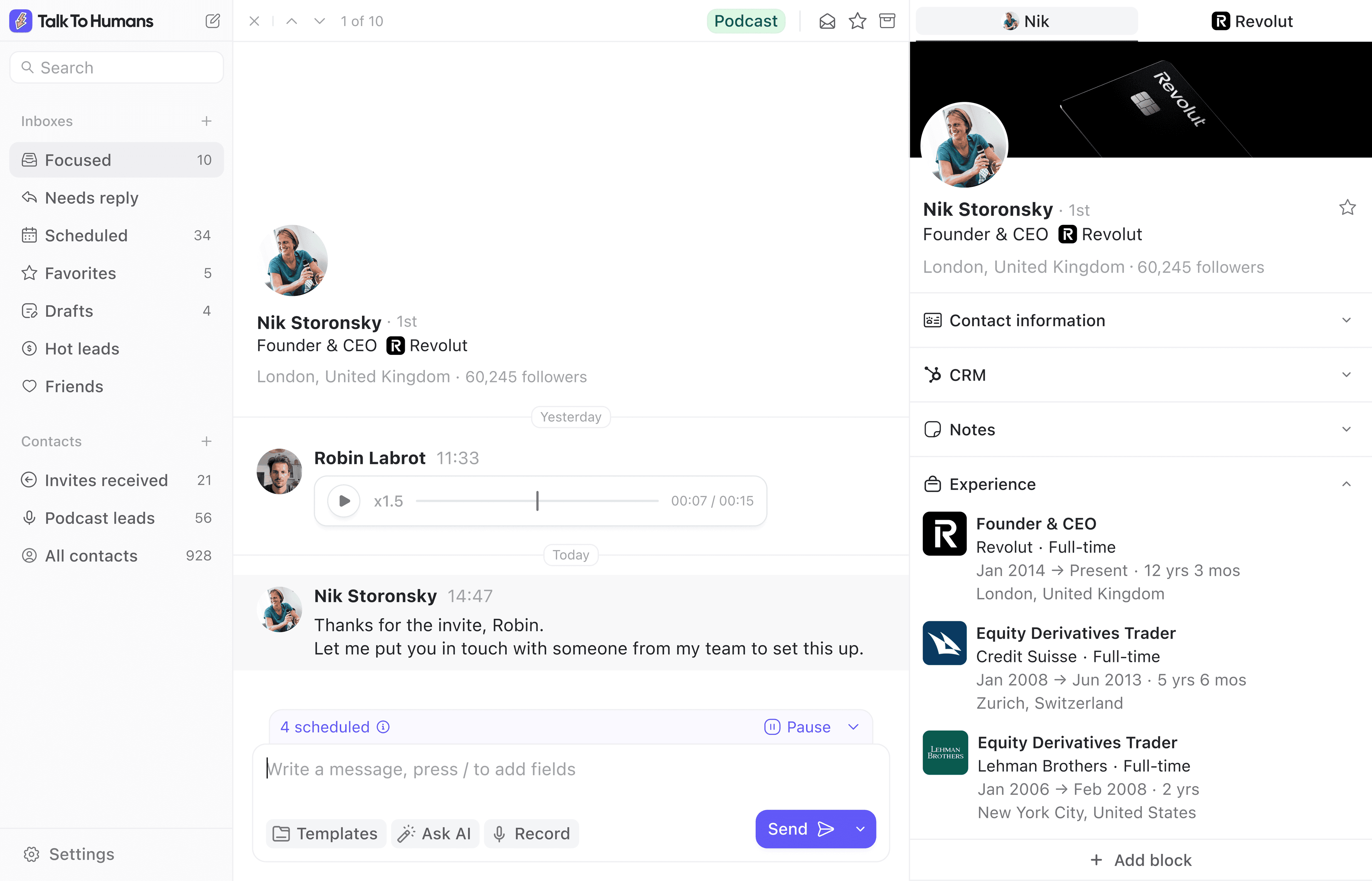
- Safer LinkedIn outreach through your real browser, without cloud automation, powered by HumanGuard™
- Built around conversations, not campaigns, with personal 1:1 sequences for the prospects worth your attention
- An inbox built for speed, with tags, custom inboxes, keyboard shortcuts, and follow-ups you can schedule as you go
 Dripify
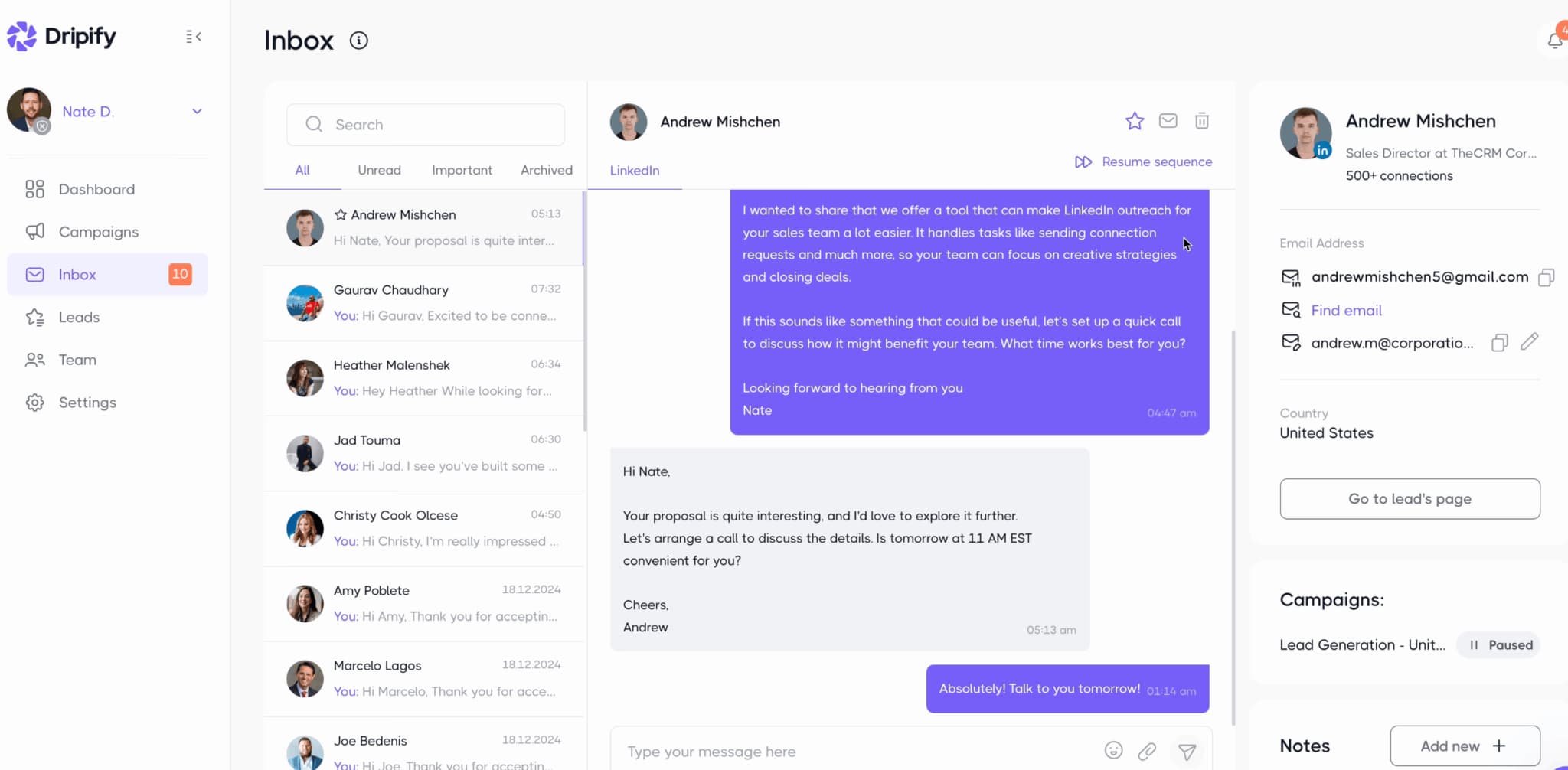
- A visual campaign builder with templates, delays, and conditions, plus editing options for sequences that are already running
- LinkedIn and email in the same sequence, with built-in email finding and cloud execution that keeps outreach running when your computer is off
- Team management on Advanced, with roles, shared sequence templates, one-click access to team accounts, and campaign and team reporting
Your tier 1 accounts deserve more than a campaign
We think LinkedIn should be where you reach out to your best leads. The people worth researching, writing to personally, and following up with.
LinkedIn already limits how many invitations and messages you can send. Why spend those opportunities on a generic sequence?
Dripify is built around reusable campaigns. TalkToHumans has no campaigns. You work one prospect at a time, with their profile and conversation in front of you. Start from a template if it helps, then make the message and follow-ups relevant to that person.
When they reply, you stay in the same inbox to keep the conversation going. And every LinkedIn action runs through your real browser, with HumanGuard™ keeping execution under your control.
Dripify feature comparison
| Feature | TalkToHumans | Dripify | Notes |
|---|---|---|---|
| Starting point | ✅ A contact or conversation | ✅ A lead list and campaign | TalkToHumans starts with the person you want to reach. Open their profile, write a relevant message, and plan the follow-up. Dripify starts with a list of leads and a campaign to run them through. |
| Safety | ✅ Safer browser-based execution, powered by HumanGuard™ | ⚠️ Cloud automation with assigned IPs and simulated activity | TalkToHumans runs LinkedIn actions through your real browser, using your own session and IP. Dripify runs them in the cloud, with an assigned regional IP and simulated activity. HumanGuard™ keeps execution in your browser instead of recreating it on a remote server. |
| Personalized outreach | ✅ Personal 1:1 sequences, reviewed for each prospect | ✅ Campaign messages with personalization variables | Dripify can personalize campaign messages with fields like company, role, location, and mutual connections. TalkToHumans puts the person's profile and conversation in front of you to write or adapt each sequence before scheduling it. |
| Inbox experience | ✅ Inbox-first, with tags, custom inboxes, shortcuts, and snappy UX | ⚠️ Inbox limited to Dripify leads, on Pro and above | Dripify gives you notes, starred conversations, and reply filters, but only shows messages from people in your Dripify leads list. TalkToHumans also covers conversations outside your outreach lists, with custom inboxes, shortcuts, and follow-ups you can schedule as you go. |
| Tags and organization | ✅ Tags and custom views, including on the free plan | ⚠️ Lead tagging on Advanced | Keep your highest-priority prospects in a custom inbox, or group conversations by who needs a reply. TalkToHumans includes tags and custom views on Free. Dripify puts lead tagging on Advanced, at $99/user/month with monthly billing. |
| Import and enrichment | ✅ LinkedIn and SalesNav import, enrichment, email & phone finding, and custom fields | ✅ LinkedIn/SalesNav and CSV import, enrichment, and email finding | Both support LinkedIn and SalesNav imports. Dripify can also take profile URLs or a CSV to populate a campaign. TalkToHumans combines profile data and custom fields with a workflow for researching and contacting each person individually. |
| CRM and AI tools | ✅ HubSpot, API, and MCP | ✅ Webhooks, Zapier, and Make workflows | TalkToHumans exposes your contacts and conversations to your CRM and AI tools. Dripify connects campaign activity to other tools through its integration workflows. |
| Cold email | ❌ No email sending | ✅ LinkedIn and email steps in the same campaign | Dripify is the better fit if you want LinkedIn and cold email in one sequence. TalkToHumans focuses on LinkedIn outreach and conversation management. |
Dripify pricing comparison
| Plan | TalkToHumans | Dripify |
|---|---|---|
| Entry paid plan, monthly billing | Starter is $20/user/month | Basic is $59/user/month, with one drip campaign |
| Sequences and dedicated inbox, monthly billing | Pro is $40/user/month | Pro is $79/user/month |
| Lead tagging, monthly billing | Included on Free, Starter, and Pro | Advanced is $99/user/month |
| Five users with sequences and inbox, monthly billing | Pro is $200/month | Pro is $395/month |
| Five users with team management, monthly billing | Pro is $200/month, with shared workspaces and inboxes | Advanced is $495/month, with multi-team management |
| Annual billing, monthly equivalent | Starter is $18/user/month; Pro is $36/user/month | Basic is $39; Pro is $59; Advanced is $79/user/month |
Is TalkToHumans the best Dripify alternative for you?
Choose TalkToHumans if...
You want LinkedIn to be a high-quality, 1:1 outreach channel for your most important prospects, not another campaign engine. Choose TalkToHumans if safety, personalization, and staying on top of conversations matter more than maximizing volume.
Choose Dripify if...
You want to import a lead list, build a LinkedIn and email sequence, and let outreach run while you are away. Choose Dripify if repeatable campaigns, built-in email finding, and tracking your team's outreach matter more than working each prospect individually.
Moving from Dripify to TalkToHumans
Step 1
Export the prospects you still want to contact
Export your selected leads as a CSV from Dripify on Pro or above. Pause overlapping campaigns before starting outreach in TalkToHumans.
Step 2
Bring your leads and conversations into TalkToHumans
Connect LinkedIn to sync your conversations and network. Use the LinkedIn URLs from your export to import prospects through our API or MCP. Dripify campaign history does not transfer with the list.
Step 3
Work through your list 1:1
Forget campaigns. Work through your list one prospect at a time, with a relevant message and a personalized follow-up sequence. Each next step stays attached to that person's conversation.
Common questions
Yes, if you want to move from campaigns to high-quality, 1:1 LinkedIn outreach. TalkToHumans covers personal sequences, follow-ups, and conversation management. If you need LinkedIn and email in the same campaign, or outreach that runs with your computer off, Dripify is a better fit.
No. Dripify's Smart Inbox only shows messages from people in your Dripify leads list. It includes notes, starred conversations, and filters for replies and unanswered messages. TalkToHumans syncs your LinkedIn conversations, including those outside an outreach campaign, so you can manage prospects, customers, and existing relationships in the same workspace.
Yes. Schedule a follow-up or a full sequence directly from a contact or conversation. Upcoming steps stay visible, can be edited or paused, and can stop automatically when someone replies. You keep the convenience of automation without launching a campaign.
HumanGuard™ keeps LinkedIn actions in your real browser session, using your own IP and device environment. TalkToHumans limits unnecessary LinkedIn activity and keeps scheduled actions visible and under your control. If your browser session is unavailable, scheduled work waits. It still uses unofficial LinkedIn access, so safer does not mean risk-free or LinkedIn-approved. More details: https://www.talktohumans.app/blog/safe-linkedin-automation
Give your best leads the attention they deserve.
Reach out with personal 1:1 sequences and keep the conversation going, with safer LinkedIn execution through your own browser.
