

Surfe vs TalkToHumans
Both sync LinkedIn contacts and DMs to your CRM. Surfe goes broader on data and CRM coverage. TalkToHumans goes deeper on the conversation workflow, with sequences and a dedicated inbox
Strengths of each
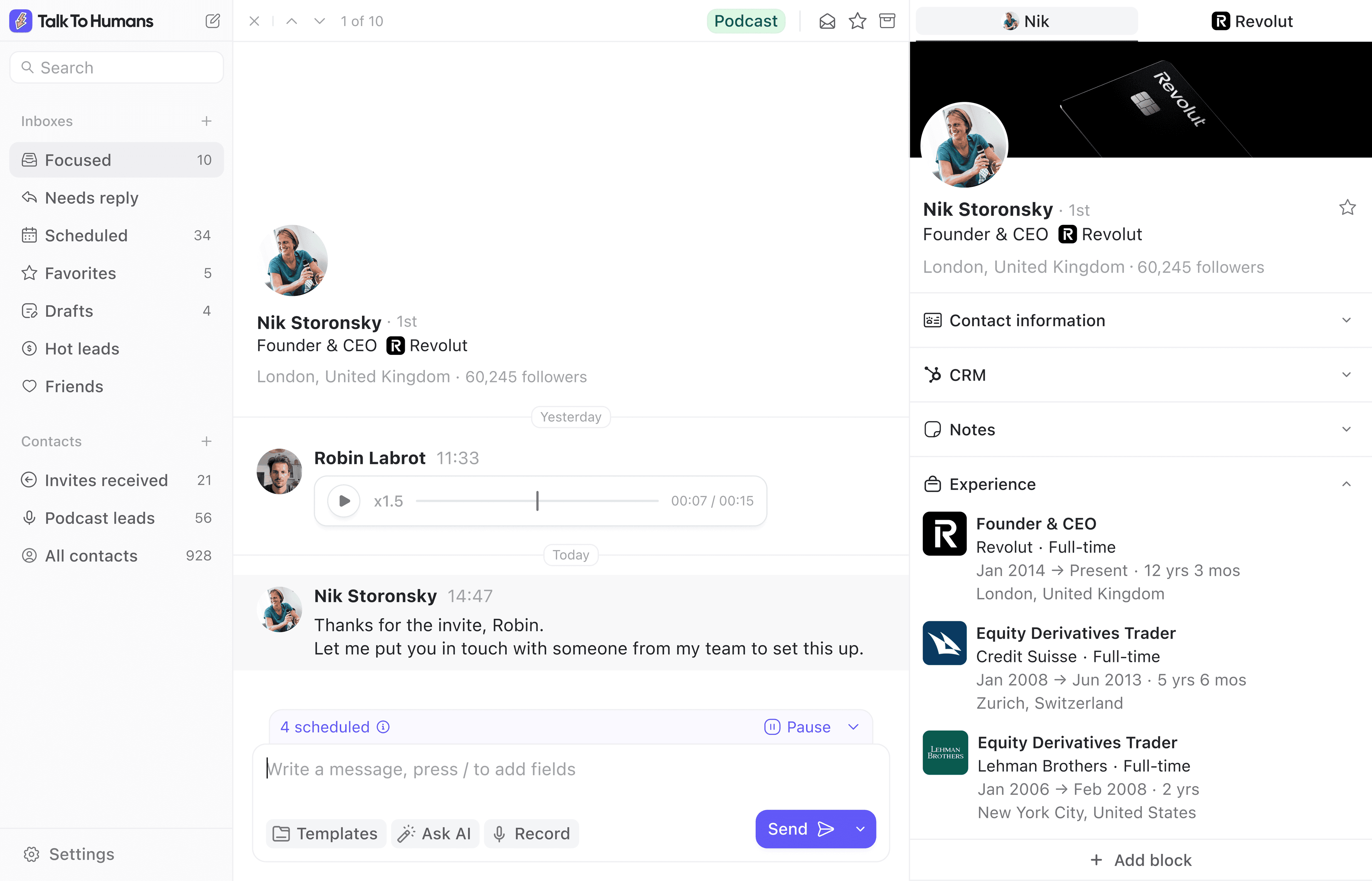
 TalkToHumans
- Deeper LinkedIn workflow with sequences, a dedicated inbox, and embedded profile tools
- Safe LinkedIn execution from your own browser, powered by HumanGuard™
- A better workflow with the ability to import contacts directly from their LinkedIn profile pages, or send a LinkedIn DM directly from the CRM
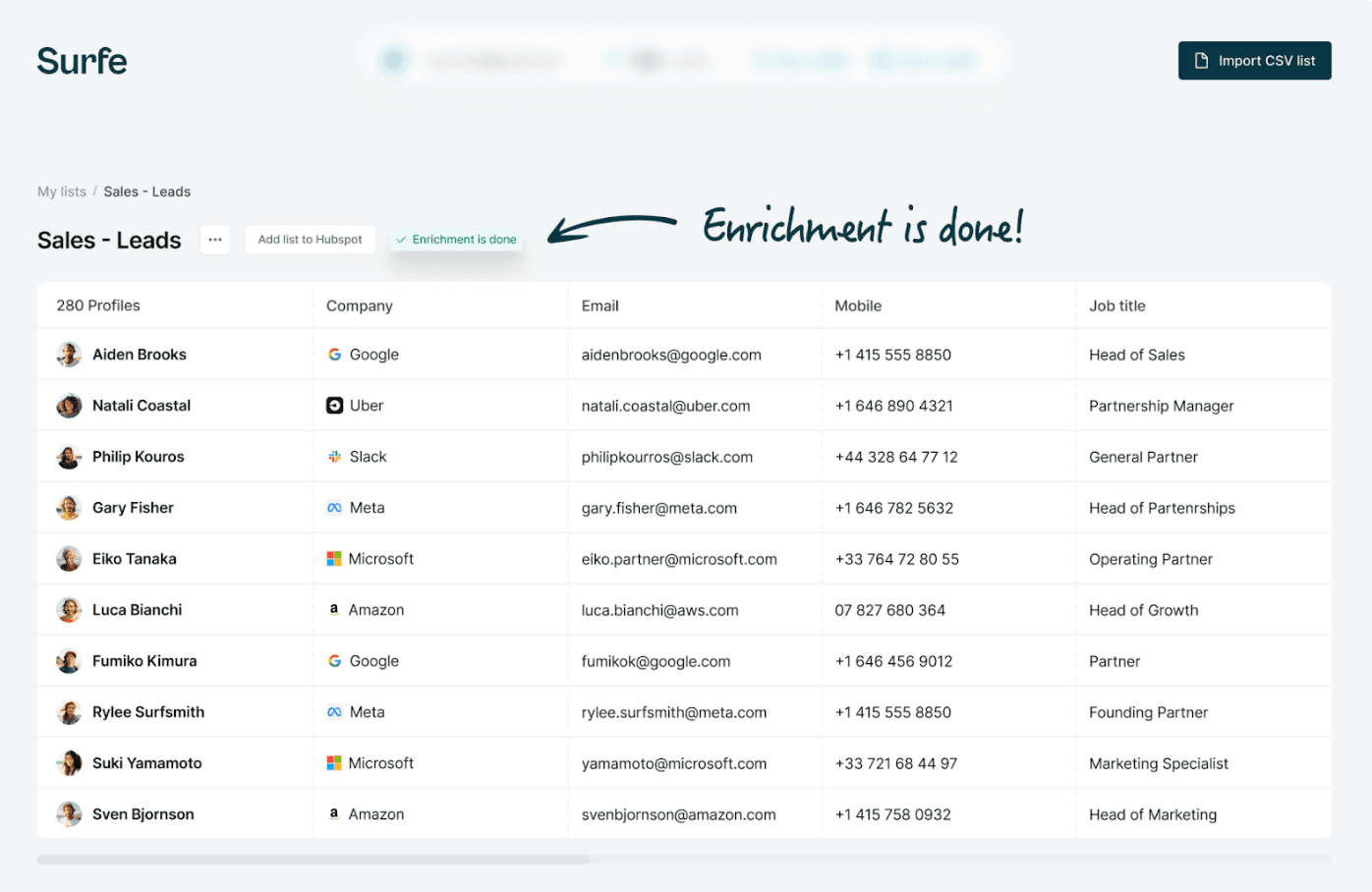
 Surfe
Surfe
- Deeper CRM integrations across HubSpot, Salesforce, Pipedrive, and Copper
- A dedicated lead database with support for signals and lookalikes
- Broader connections to the sales stack, including HubSpot, Outreach, Salesloft, Lemlist, and enterprise data infrastructure
Surfe feature comparison
| Feature | TalkToHumans | Surfe | Notes |
|---|---|---|---|
| Core workflow | ✅ End-to-end LinkedIn sales workflow | ✅ CRM sync, enrichment, and sales intelligence | TalkToHumans covers the rep's workflow from finding a person to starting conversations and updating the CRM. Surfe goes deeper on helping teams decide who to target. |
| LinkedIn integration depth | ✅ Embedded profile controls, full inbox, and native sequences | ⚠️ Independent Chrome side panel with CRM actions | TalkToHumans works directly inside LinkedIn profiles and adds a complete workspace for conversations. Surfe moved its new experience into a Chrome side panel, with the CRM remaining at the center of the workflow. |
| CRM integration depth | ⚠️ Core HubSpot workflows today; more major CRMs planned | ✅ Deeper HubSpot, Salesforce, Pipedrive, and Copper integrations | Surfe has the stronger CRM integration today, including in HubSpot. It supports more CRM objects, fields, and actions across more platforms. TalkToHumans currently supports HubSpot, with Salesforce, Attio, Pipedrive, and other major CRMs planned. |
| Find and enrich people | ✅ Network, profile and Sales Navigator import with waterfall enrichment | ✅ Dedicated lead database and waterfall enrichment | Both turn LinkedIn profiles into usable contact data. Surfe is stronger for large lists, buying signals, lookalikes, and high-volume enrichment. TalkToHumans is stronger if the sourcing is done directly from LinkedIn. |
| Start conversations | ✅ Send personal LinkedIn DMs from profiles, the inbox, or the CRM | ⚠️ Message templates and handoffs to external sales sequences | TalkToHumans fully supports starting and managing conversations. Surfe doesn't support this natively and relies on sending the leads into tools such as HubSpot, Outreach, Salesloft, or Lemlist for execution. |
| Sequences and follow-ups | ✅ Sequences, and on-the-go follow-ups to keep threads warm | ⚠️ Add contacts to sequences in connected sales-engagement tools | TalkToHumans keeps the sequence beside the person and conversation. Surfe connects enriched contacts to external sequence tools rather than managing the complete LinkedIn follow-up workflow itself. |
| Manage replies | ✅ Dedicated inbox with custom views, tags, templates and shortcuts | ⚠️ Conversation sync without a full daily LinkedIn inbox | Surfe records LinkedIn conversations in the CRM. TalkToHumans also gives reps a fast place to triage replies, assign ownership, schedule the next message, and keep valuable conversations from slipping. |
| LinkedIn DMs in the CRM | ✅ New DMs logged as CRM activities after the contact is linked | ✅ Conversations synced as CRM activities after Sync chat is enabled | Both support DM activity sync. TalkToHumans starts logging new messages once the contact is linked, including InMails and group chats. Surfe asks you to enable Sync chat for the conversation, imports roughly 25 previous messages, then keeps that approved chat synchronized. |
| Send LinkedIn DMs from the CRM | ✅ Send from the HubSpot contact without changing tabs | ⚠️ No equivalent CRM-to-LinkedIn DM | TalkToHumans lets a rep send the next LinkedIn DM from their CRM directly. Surfe has the deeper CRM integration overall, but doesn't support this feature. |
| LinkedIn execution and safety | ✅ Browser-based execution with safety guardrails | ⚠️ Extension explicitly detected by LinkedIn | LinkedIn actively scans users’ browsers for thousands of installed extensions. Surfe appears in this detected-extension database, while TalkToHumans is designed to minimize its technical footprint and keeps execution in the user’s real browser with conservative safety guardrails. |
Surfe pricing comparison
| Plan | TalkToHumans | Surfe |
|---|---|---|
| Free | $0/user/month | $0/user/month, with limited CRM record creation and enrichment credits |
| Entry paid plan, monthly billing | Starter is $20/user/month | Essential is $49/user/month |
| Pro plan, monthly billing | Pro is $40/user/month | Pro is $89/user/month |
| Entry paid plan, annual billing | Starter is $18/user/month, billed annually | Essential is $39/user/month, billed annually |
| Pro plan, annual billing | Pro is $36/user/month, billed annually | Pro is $79/user/month, billed annually |
Is TalkToHumans the best Surfe alternative for you?
Choose TalkToHumans if...
You want reps to find and enrich people, start LinkedIn conversations, manage replies, run safer follow-ups, and keep CRM activity up to date without stitching several tools together. TalkToHumans currently supports HubSpot, with more major CRMs planned.
Choose Surfe if...
CRM depth, CRM coverage, or high-volume sales intelligence matters most. Choose Surfe if your team needs Salesforce, Pipedrive, or Copper today, or depends on advanced enrichment, signals, lookalikes, and large prospect lists.
Moving from Surfe to TalkToHumans
Step 1
Review the CRM workflows your team needs
TalkToHumans currently supports HubSpot, while Surfe also supports Salesforce, Pipedrive, and Copper with deeper CRM workflows. Confirm that today's coverage fits before changing your team's process.
Step 2
Connect LinkedIn and map your CRM fields
Set up TalkToHumans, connect the LinkedIn accounts your team uses, and map the contact and company data that should be sent to the CRM.
Step 3
Move the complete rep workflow
Start with active prospects. Import and enrich them, organize their conversations, rebuild the follow-ups worth keeping, and confirm that new DMs appear on the correct CRM records.
Common questions
Let reps sell on LinkedIn, not administer the workflow.
Find the right people, start the conversation, manage every reply, and keep your CRM updated without bouncing between tools all day.
