
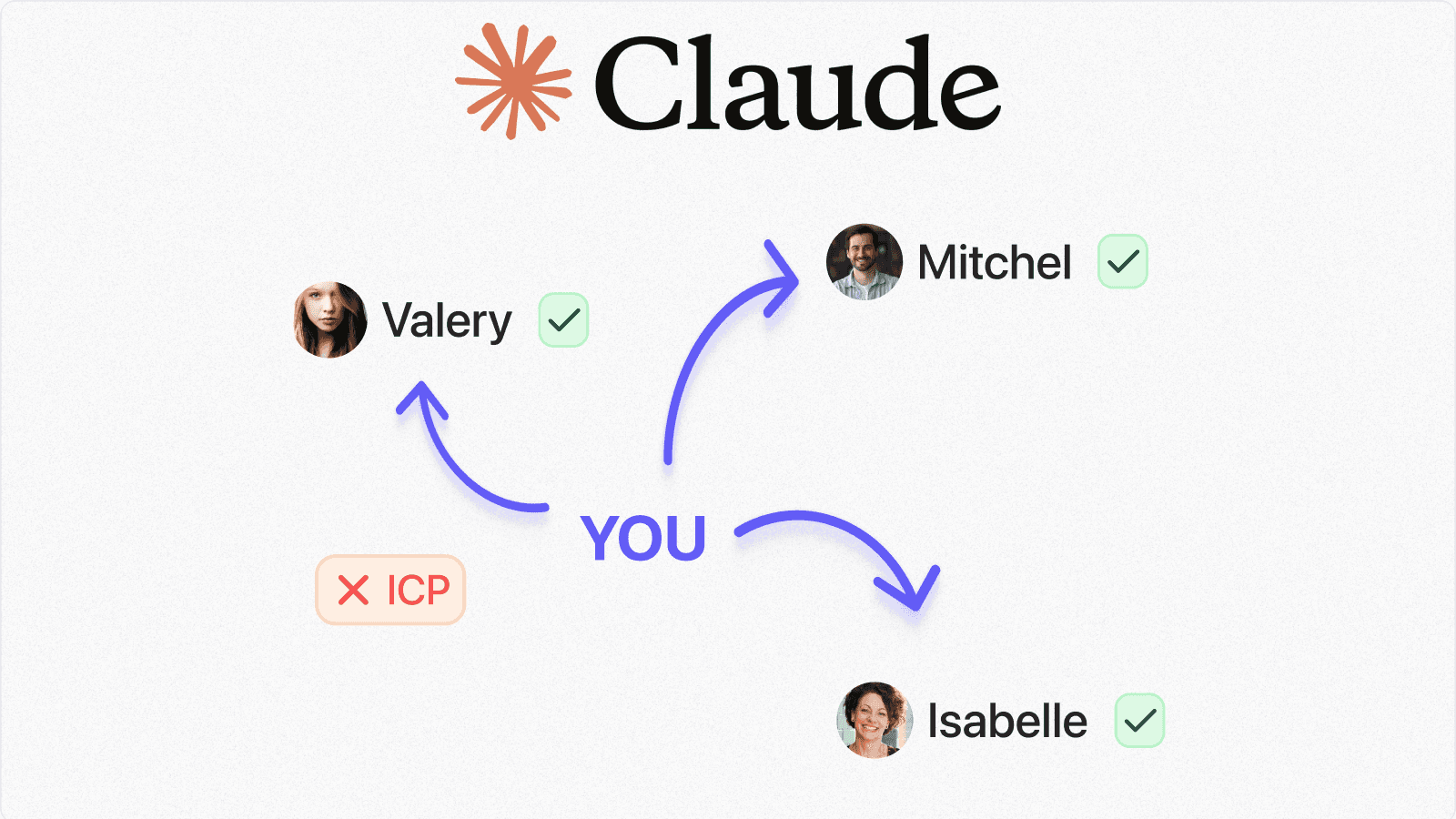
Your warmest leads are probably not in a new cold list.
They are already sitting inside your LinkedIn network:
- old prospects
- past customers
- creators
- recruiters
- investors
- partners
- people who know your next buyer
The hard part is that LinkedIn makes your own network weirdly difficult to use.
You can scroll your feed, search profiles one by one, or dig through a messy inbox, but you cannot simply ask:
Who in my network matches my ICP?
That is the workflow this article shows you.
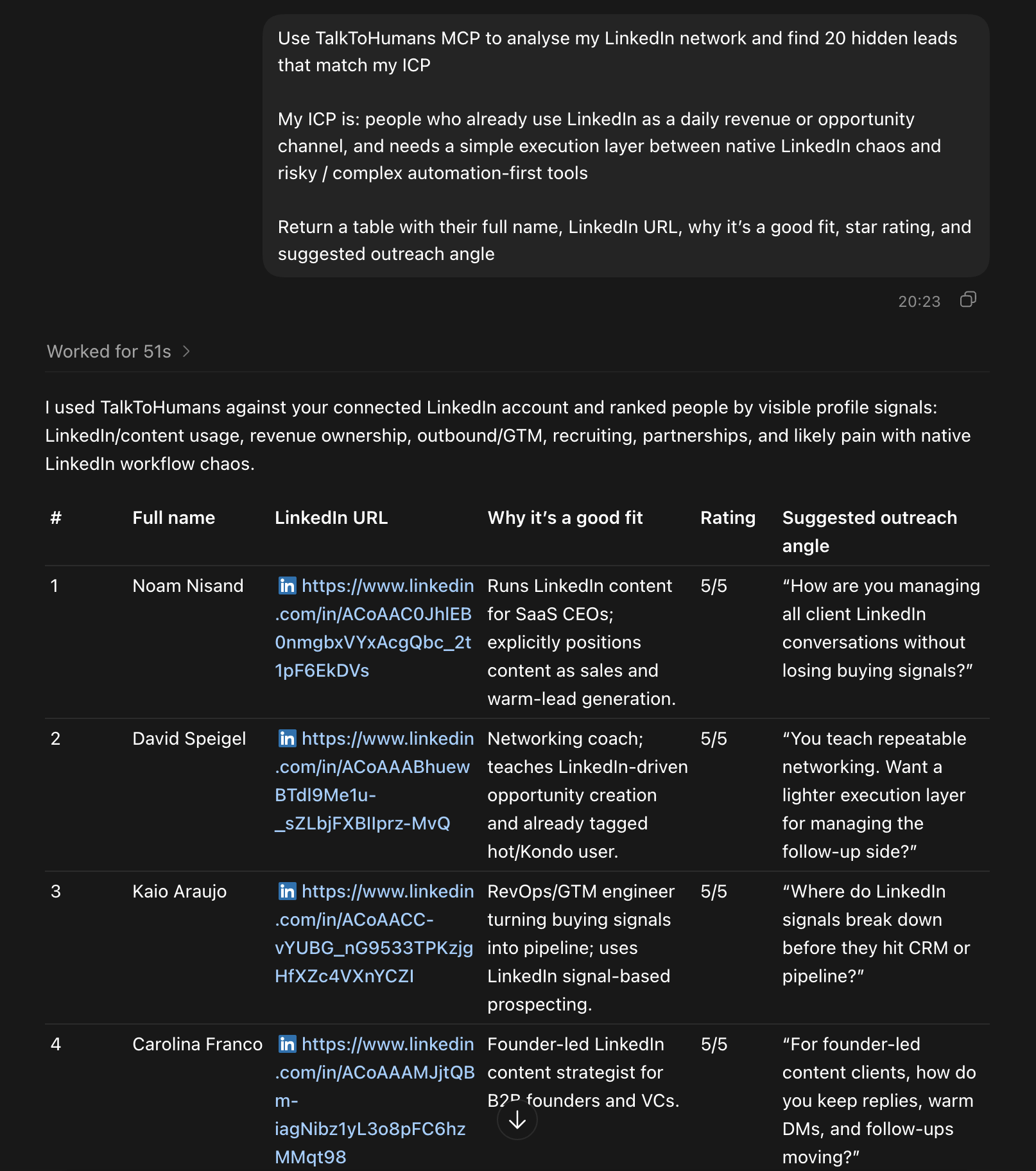
You can sync your LinkedIn network into TalkToHumans, connect it to Claude or Codex with MCP, then ask AI to find hidden leads, warm intros, and partnership opportunities already connected to you.
The basic workflow
The workflow is simple:
- Sync your LinkedIn network with TalkToHumans
- Connect TalkToHumans to Claude, Codex, or another MCP-compatible AI tool
- Ask AI to analyze your network for your ICP
- Turn the results into a saved contact view
- Message people with context and schedule follow-ups
The important part is what this avoids.
You are not scraping random strangers, blasting 1,000 DMs, or letting AI run spam campaigns.
You are using AI to find relevant people you already know, then using TalkToHumans to personalize and follow up like a human.
Why your LinkedIn network is an underused lead source
LinkedIn pushes you toward new activity:
- new searches
- new posts
- new connection requests
- new cold conversations
But for founders, solo sellers, recruiters, consultants, and small teams, the best opportunities often come from weak ties already inside the network.
Someone changed jobs.
Someone now works at a target account.
Someone knows your buyer.
Someone became a founder.
Someone moved from prospect to decision maker.
Someone has an audience full of your ICP.
Native LinkedIn is not built to reveal these patterns.
It gives you a chronological inbox and profile search, but it does not give you a practical way to work your network like a lightweight CRM.
That is where an AI-assisted workflow helps.
Step 1: Sync your LinkedIn network into TalkToHumans
Create a free account at TalkToHumans.
TalkToHumans syncs your LinkedIn network so you can search, filter, tag, and work contacts outside the native LinkedIn inbox.
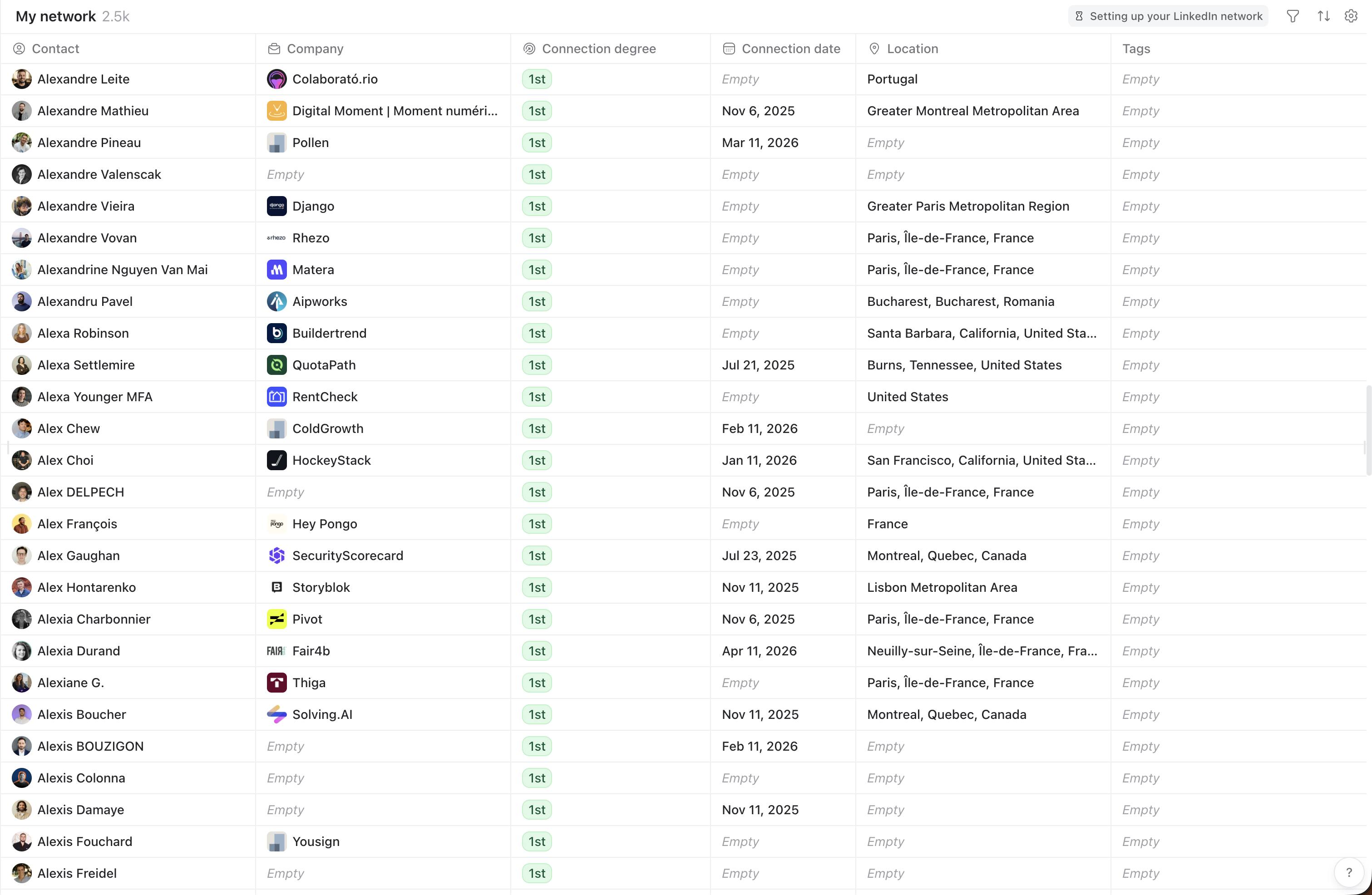
Leave the app open while it syncs.
Large networks can take longer, but you can usually start exploring with a smaller sample before the full sync finishes.
Step 2: Connect TalkToHumans to Claude, Codex, or another AI tool
TalkToHumans exposes your LinkedIn network through MCP, so your AI tool can search your contacts directly after you authenticate.
Use the setup for your tool.
Claude Code
Run:
claude mcp add --transport http talktohumans https://api.talktohumans.app/mcp
Then run /mcp in Claude Code and follow the sign-in flow.
Codex
Run:
codex mcp add talktohumans --url https://api.talktohumans.app/mcp
codex mcp login talktohumans
Claude Web
Go to:
claude.ai/settings/integrations
Click Add custom connector, name it TalkToHumans, and use this URL:
https://api.talktohumans.app/mcp
Then connect your TalkToHumans account.
Cursor
Add this to your MCP config:
{
  "mcpServers": {
    "talktohumans": {
      "url": "https://api.talktohumans.app/mcp"
    }
  }
}
VS Code
Add this to your MCP config:
{
  "servers": {
    "talktohumans": {
      "type": "http",
      "url": "https://api.talktohumans.app/mcp"
    }
  }
}
Step 3: Ask Claude to find hidden leads in your LinkedIn network
Once your AI tool can access TalkToHumans, you can stop manually browsing your network and start describing the opportunity you want to find.
Use this prompt:
Use TalkToHumans MCP to analyze my LinkedIn network and find 20 hidden leads that match my ICP.

My ICP is: [describe your ideal customer]

Return a table with:
- full name
- LinkedIn URL
- why it is a good fit
- star rating
- suggested outreach angle
A good ICP description makes the output much stronger.
Weak ICP:
B2B founders
Better ICP:
Founder-led B2B SaaS companies with 5-50 employees who sell to sales, recruiting, or customer success teams, use LinkedIn for GTM, and likely care about safer outbound or better follow-up systems
Claude can then search for people who match the profile, explain why they matter, and suggest how to approach them.
Step 4: Find warm intro paths
Your network is not only a list of direct prospects.
It is also a map of people who can introduce you to prospects.
Use this prompt:
Use TalkToHumans MCP to analyze my LinkedIn network and find the 10 best people who could introduce me to ideal prospects.

My ICP is: [describe your ideal customer]

Return a table with:
- full name
- LinkedIn URL
- why they are a good intro path
- star rating
- suggested outreach angle
This is useful when your best path is not a direct pitch.
Sometimes the best message is:
- asking a past customer who else is dealing with the same problem
- asking a creator if they know operators in the category
- asking an investor which portfolio companies fit the use case
- asking an old prospect whether the problem is still active
Warm intros are usually slower than cold automation, but the conversations tend to be much better.
Step 5: Find partnerships and distribution opportunities
You can also use your network to find people who might distribute, refer, partner, or collaborate.
Use this prompt:
Use TalkToHumans MCP to analyze my LinkedIn network and find people I already know who could become partners, referrers, or distribution opportunities.

Look for agencies, consultants, creators, recruiters, investors, operators, and people with access to my ICP.

Return a table with:
- full name
- LinkedIn URL
- why it is a good fit
- opportunity type
- star rating
- suggested outreach angle
This is where the workflow becomes more interesting than normal lead search.
You are not only asking "who can buy?"
You are asking:
- who knows buyers?
- who already serves this audience?
- who has trust with the market?
- who could turn into a referral partner?
- who is worth reconnecting with even if they are not a direct lead?
That is the part LinkedIn should make easy, but does not.
Step 6: Turn the AI results into a TalkToHumans contact view
Once Claude has found the right people, ask:
Now create a dedicated contact view in TalkToHumans for these people.
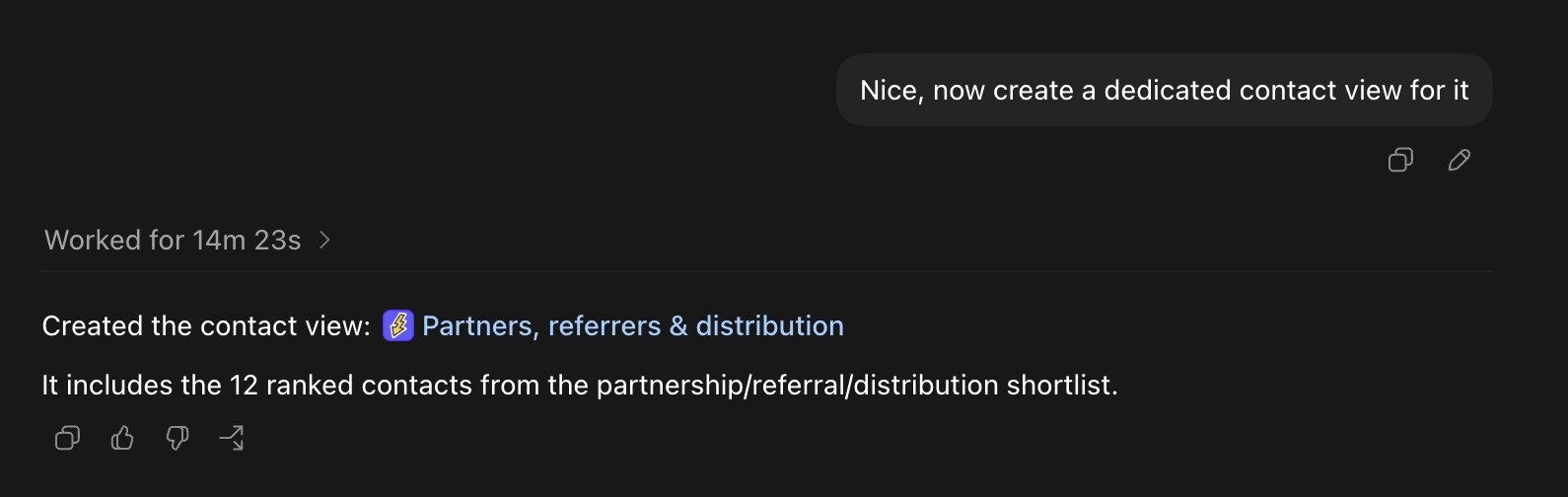
TalkToHumans will create a filtered list you can open and work through.
This matters because AI research alone does not create pipeline.
You need an execution layer where you can review people, write messages, tag them, and follow up.
Step 7: Message people with context, not spam
Open the contact view in TalkToHumans and start with the first person.
The sidebar gives you context while you write, so you do not need to jump between tabs to remember who they are, what they do, or why Claude surfaced them.
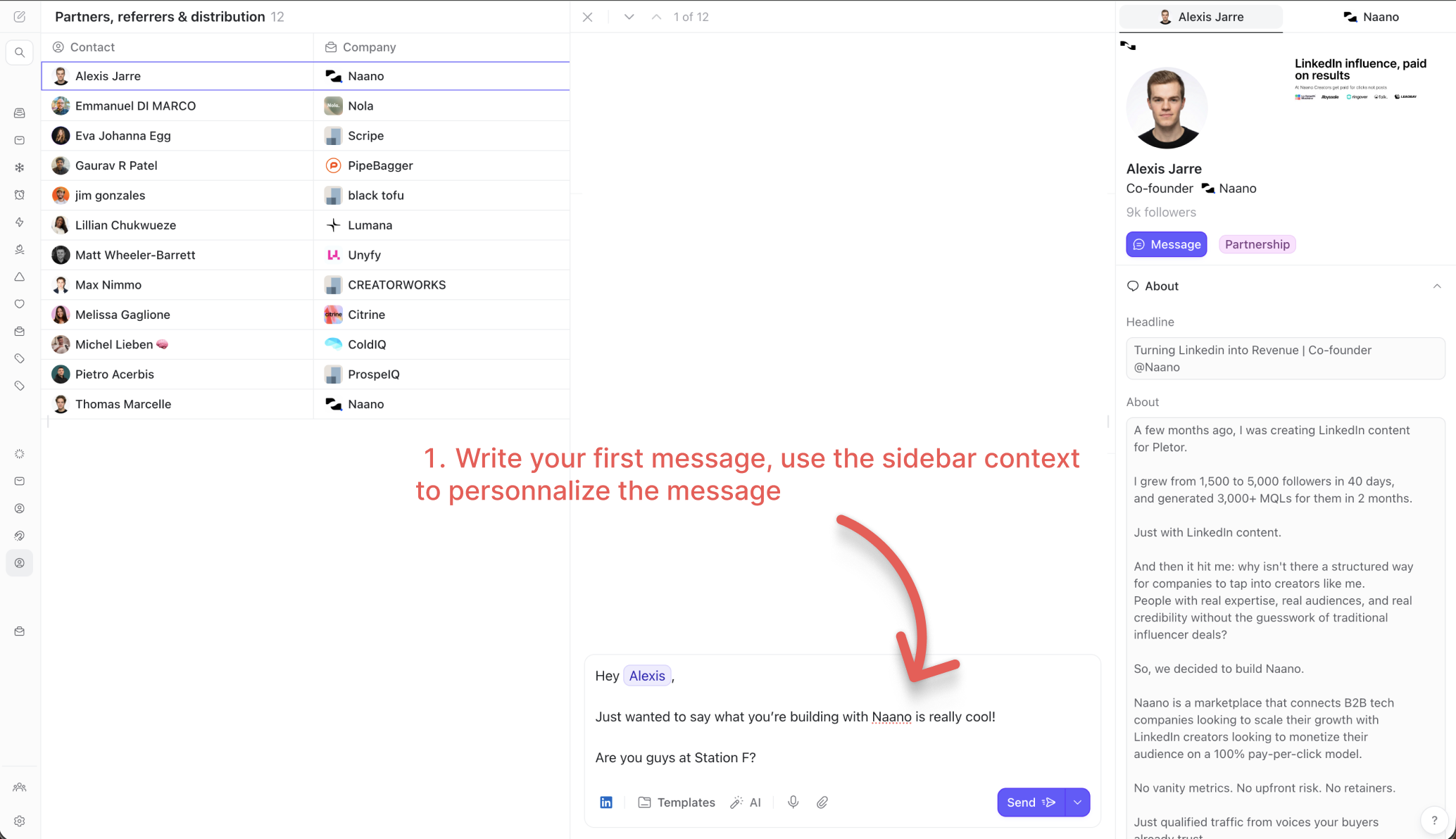
A good first message should feel specific and low-pressure.
The goal is not to write the perfect pitch.
The goal is to start a real conversation with someone who already has some relationship to you.
Step 8: Schedule follow-ups before you move on
Most LinkedIn opportunities are not lost because the first message was terrible.
They are lost because nobody follows up.
After writing the first message in TalkToHumans:
- write a follow-up
- click the arrow next to Send
- schedule it for later
- move to the next person
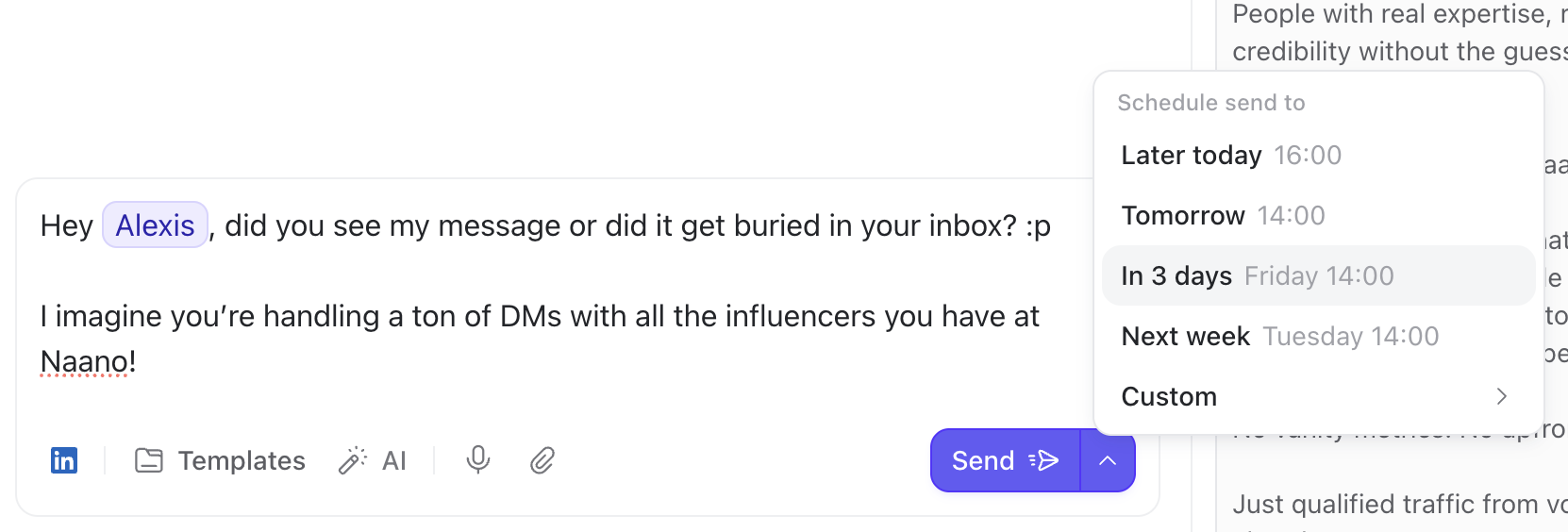
A simple +3 day follow-up often works well.
TalkToHumans can automatically stop the scheduled follow-up if the person replies before it sends, which avoids the awkward "just bumping this" message after someone already responded.
This is the safe middle between doing everything manually and turning your LinkedIn account into an automation machine.
Example prompts by use case
| Use case | Prompt angle |
|---|---|
| Find direct leads | "Find people in my network matching my ICP" |
| Find warm intros | "Find people who could introduce me to my ICP" |
| Find reactivation opportunities | "Find old prospects or past conversations worth reviving" |
| Find partners | "Find agencies, consultants, creators, or operators who reach my ICP" |
| Find recruiting leads | "Find people in my network who match this candidate or hiring profile" |
What to automate and what to keep human
Use AI for:
- finding patterns in your network
- ranking people by fit
- suggesting outreach angles
- turning results into organized contact views
- drafting a rough first message
Keep the human part for:
- deciding who is actually worth messaging
- editing the message so it sounds like you
- choosing when not to send
- replying with judgment
- building the relationship after the first touch
The point is not "AI sends LinkedIn messages for you."
The point is that AI helps you notice opportunities you were already connected to, then TalkToHumans helps you work through them without losing the thread.
FAQ
Can Claude search my LinkedIn network directly?
Claude cannot search your LinkedIn network by default.
You need a connector like TalkToHumans MCP so Claude can access your synced LinkedIn contacts after you authenticate.
Is this the same as LinkedIn automation?
No.
This workflow is closer to AI-assisted research plus human-led outreach.
TalkToHumans is built around safer LinkedIn execution, conservative limits, manual personalization, and follow-ups that stop when someone replies.
Do I need Sales Navigator?
No.
This workflow starts with your existing LinkedIn network.
Sales Navigator can still help for prospecting, but the main idea here is to uncover opportunities among people already connected to you.
What kind of LinkedIn network works best?
This works best if you already use LinkedIn for business and have a network that includes prospects, customers, partners, recruiters, investors, operators, or creators in your market.
If your network is mostly random connections, the output will be weaker.
What should I do after Claude finds leads?
Create a TalkToHumans contact view, review each person, write personalized messages, and schedule follow-ups.
The list only becomes useful once you turn it into conversations.
The takeaway
Your LinkedIn network is probably more valuable than your next cold list.
The problem is that LinkedIn gives you a feed, an inbox, and search, but not a practical way to ask who in your network is relevant right now.
With TalkToHumans and Claude, you can turn that network into something usable:
- find hidden leads
- spot intro paths
- uncover partners
- create a focused contact view
- send personalized messages
- follow up without losing track