> ## Documentation Index
> Fetch the complete documentation index at: https://talktohumans.app/docs/llms.txt
> Use this file to discover all available pages before exploring further.
# ✨ LinkedIn MCP & API
Something a lot of people want from LinkedIn is the ability to access their own data, connections, messages, and more, in their own systems.
Unfortunately, **LinkedIn has never made this possible and doesn’t seem to plan to.**
**But we did,** here is how to get set up:
## Connect TalkToHumans MCP
Follow the [MCP setup guide](/docs/developers/mcp)
Don't need MCP and want to use the API directly? They support the same actions.
Read our API documentation [here](https://www.talktohumans.app/docs/developers/overview).
 # Some useful use cases
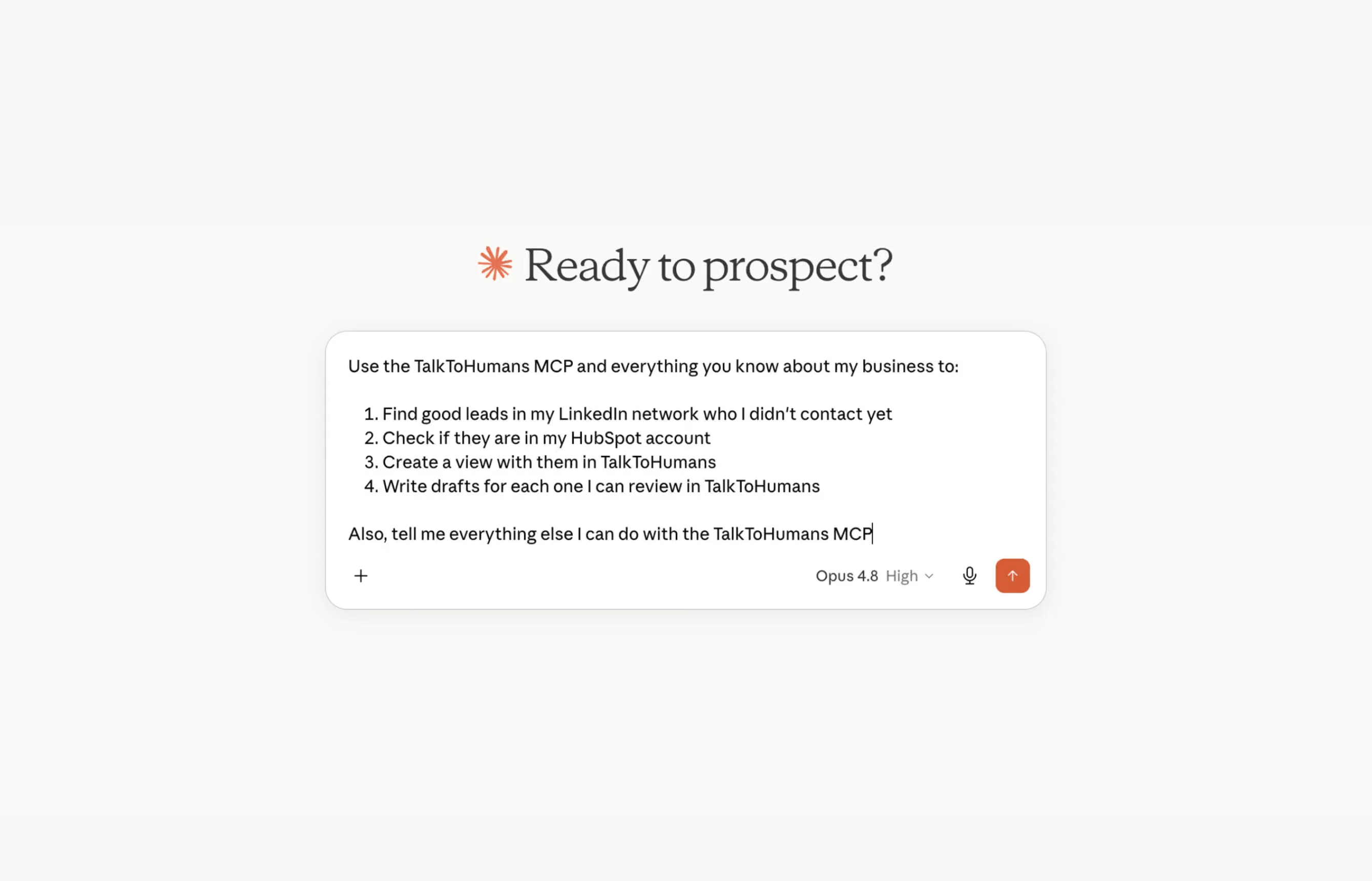
### Find leads in your network
Your next opportunities may already be in your LinkedIn network. Chances are, **at least 10–20 people** in your existing network already fit your ICP.
The best part is that **you can message them right now** without having to send a connection request first, as they are already connected to you.
**Run this prompt to do so:**
```text theme={null}
Use TalkToHumans MCP to find up to 20 leads in my existing LinkedIn network I should reach out to today for BUSINESS_NAME.
My ICP is:
DESCRIBE YOUR ICP
Once you’ve identified those 20 leads, create a dedicated view in TalkToHumans for these leads so I can start working through them today.
```
### Find daily leads online
Using the TalkToHumans MCP and a tool like Parallel Search, you can prompt your favorite AI tool to find relevant leads for you every day:
```text theme={null}
Use ParallelSearch MCP to find 20 high-quality leads I should reach out to today for BUSINESS_NAME.
My ICP is:
DESCRIBE YOUR ICP
Prioritize leads who have recently shown direct or indirect buying intent online, such as engaging with relevant topics, discussing a problem we solve, interacting with competitors, or showing other relevant intent signals.
Once you’ve identified the best 20 leads:
1. Make sure none are duplicates or already exist in TalkToHumans.
2. Import the new leads using TalkToHumans MCP.
3. Create a dedicated view for these leads so I can start working through them
```
### Analyze your outbound performance
One of the most powerful use cases for AI is analyzing your LinkedIn outbound performance.
**Run this prompt to do so:**
```text theme={null}
Use TalkToHumans MCP and analyze those past 2 weeks outbound performance
Infer what tends to works and don't work, from a connection request accepted to a booked meeting
Then tell me what to change, improve, or stop doing for the upcoming 2 weeks.
If you can, provide charts / graphs when relevant to make the analysis more visual and easier to consume.
```
### Score leads by ICP score
If you've imported contacts into TalkToHumans, you might want to prioritize them from the best to the worst, according to your own criteria for your exact ICP.
Here is how you would do it:
First, create a dedicated "ICP score" [custom field](https://www.talktohumans.app/docs/product/contacts/custom-fields) on contacts.
**Then, run this prompt:**
```text theme={null}
Use TalkToHumans MCP and access the contacts in this specific view:
LINK_OF_THE_CONTACT_VIEW_IN_TALKTOHUMANS
They all have a custom field named "ICP score"
I want you to analyze all of those contacts one by one, and fill their ICP score field values
Our ICP is:
DESCRIBE YOUR ICP
Use web search and infer additional information from their company website to be more accurate
```
### Automatically tag contacts for better organization
One of the most used TalkToHumans features is [tagging](https://www.talktohumans.app/docs/product/inbox/tags-notes).
It works well when you work through up-to-date conversations or contacts
But sometimes, you want to backfill a lot of contacts or conversations, and it would be annoying to do manually
You can use your favorite AI tool to do it for you:
```text theme={null}
Use TalkToHumans MCP
First, gather existing tags and how they are used so that you can infer how we usually work with tags
Then, I want you to tag all leads with no tags, using the relevant existing tags, based on existing conversations, or characteristics of the contact / their company
```
### Draft messages for your leads
Writing a good first message isn’t always easy.
Sometimes, a little help from AI is useful to **get past the blank page and give you ideas.**
TalkToHumans MCP lets your favorite AI tools draft messages for your leads, but you still have to review every message in the app before sending it.
AI cannot send messages on your behalf, see why in the last section
```text theme={null}
Use TalkToHumans MCP and access the contacts in this specific view:
LINK_OF_THE_CONTACT_VIEW_IN_TALKTOHUMANS
Draft a first messages for each one of them, and make it ultra relevant
Rules:
- Keep messages short, max 3 sentences
- Absolutely avoid pitch-slapping in the first message, just open the conversation in a meaningful way
- Make it ultra-relevant to this specific person using their profile or the existing conversations, infer things about them,
show you know something true and specific about their world, but no fake flattery
- Match their tone and style based on how they write in the conversation or how their profile reads
- Ask yourself: “Would I reply to this message if I were the recipient?” If not, iterate.
- Review your output with this skill: https://github.com/hardikpandya/stop-slop/blob/main/SKILL.md
I'll review each message manually afterward before sending.
```
## Our take on AI usage
You might have seen that we don't support certain actions like **letting AI send messages or connection requests**, and it's completely on purpose:
We believe AI is great at **researching, analyzing, scoring, and organizing information**.
That’s why TalkToHumans lets you use it to find leads, score contacts, analyze performance, organize your data, and more.
But when it comes to **actually talking to people, we keep you in control.**
AI-written outreach is **easy to recognize**, **rarely feels personal**, and contributes to the growing amount of **low-quality content on LinkedIn**. LinkedIn itself is increasingly fighting this kind of behavior, and automating it can **put your account reputation at risk**.
[It’s one of the deliberate tradeoffs we make to keep TalkToHumans probably be the safest LinkedIn tool](https://www.talktohumans.app/docs/product/safety).
# Some useful use cases
### Find leads in your network
Your next opportunities may already be in your LinkedIn network. Chances are, **at least 10–20 people** in your existing network already fit your ICP.
The best part is that **you can message them right now** without having to send a connection request first, as they are already connected to you.
**Run this prompt to do so:**
```text theme={null}
Use TalkToHumans MCP to find up to 20 leads in my existing LinkedIn network I should reach out to today for BUSINESS_NAME.
My ICP is:
DESCRIBE YOUR ICP
Once you’ve identified those 20 leads, create a dedicated view in TalkToHumans for these leads so I can start working through them today.
```
### Find daily leads online
Using the TalkToHumans MCP and a tool like Parallel Search, you can prompt your favorite AI tool to find relevant leads for you every day:
```text theme={null}
Use ParallelSearch MCP to find 20 high-quality leads I should reach out to today for BUSINESS_NAME.
My ICP is:
DESCRIBE YOUR ICP
Prioritize leads who have recently shown direct or indirect buying intent online, such as engaging with relevant topics, discussing a problem we solve, interacting with competitors, or showing other relevant intent signals.
Once you’ve identified the best 20 leads:
1. Make sure none are duplicates or already exist in TalkToHumans.
2. Import the new leads using TalkToHumans MCP.
3. Create a dedicated view for these leads so I can start working through them
```
### Analyze your outbound performance
One of the most powerful use cases for AI is analyzing your LinkedIn outbound performance.
**Run this prompt to do so:**
```text theme={null}
Use TalkToHumans MCP and analyze those past 2 weeks outbound performance
Infer what tends to works and don't work, from a connection request accepted to a booked meeting
Then tell me what to change, improve, or stop doing for the upcoming 2 weeks.
If you can, provide charts / graphs when relevant to make the analysis more visual and easier to consume.
```
### Score leads by ICP score
If you've imported contacts into TalkToHumans, you might want to prioritize them from the best to the worst, according to your own criteria for your exact ICP.
Here is how you would do it:
First, create a dedicated "ICP score" [custom field](https://www.talktohumans.app/docs/product/contacts/custom-fields) on contacts.
**Then, run this prompt:**
```text theme={null}
Use TalkToHumans MCP and access the contacts in this specific view:
LINK_OF_THE_CONTACT_VIEW_IN_TALKTOHUMANS
They all have a custom field named "ICP score"
I want you to analyze all of those contacts one by one, and fill their ICP score field values
Our ICP is:
DESCRIBE YOUR ICP
Use web search and infer additional information from their company website to be more accurate
```
### Automatically tag contacts for better organization
One of the most used TalkToHumans features is [tagging](https://www.talktohumans.app/docs/product/inbox/tags-notes).
It works well when you work through up-to-date conversations or contacts
But sometimes, you want to backfill a lot of contacts or conversations, and it would be annoying to do manually
You can use your favorite AI tool to do it for you:
```text theme={null}
Use TalkToHumans MCP
First, gather existing tags and how they are used so that you can infer how we usually work with tags
Then, I want you to tag all leads with no tags, using the relevant existing tags, based on existing conversations, or characteristics of the contact / their company
```
### Draft messages for your leads
Writing a good first message isn’t always easy.
Sometimes, a little help from AI is useful to **get past the blank page and give you ideas.**
TalkToHumans MCP lets your favorite AI tools draft messages for your leads, but you still have to review every message in the app before sending it.
AI cannot send messages on your behalf, see why in the last section
```text theme={null}
Use TalkToHumans MCP and access the contacts in this specific view:
LINK_OF_THE_CONTACT_VIEW_IN_TALKTOHUMANS
Draft a first messages for each one of them, and make it ultra relevant
Rules:
- Keep messages short, max 3 sentences
- Absolutely avoid pitch-slapping in the first message, just open the conversation in a meaningful way
- Make it ultra-relevant to this specific person using their profile or the existing conversations, infer things about them,
show you know something true and specific about their world, but no fake flattery
- Match their tone and style based on how they write in the conversation or how their profile reads
- Ask yourself: “Would I reply to this message if I were the recipient?” If not, iterate.
- Review your output with this skill: https://github.com/hardikpandya/stop-slop/blob/main/SKILL.md
I'll review each message manually afterward before sending.
```
## Our take on AI usage
You might have seen that we don't support certain actions like **letting AI send messages or connection requests**, and it's completely on purpose:
We believe AI is great at **researching, analyzing, scoring, and organizing information**.
That’s why TalkToHumans lets you use it to find leads, score contacts, analyze performance, organize your data, and more.
But when it comes to **actually talking to people, we keep you in control.**
AI-written outreach is **easy to recognize**, **rarely feels personal**, and contributes to the growing amount of **low-quality content on LinkedIn**. LinkedIn itself is increasingly fighting this kind of behavior, and automating it can **put your account reputation at risk**.
[It’s one of the deliberate tradeoffs we make to keep TalkToHumans probably be the safest LinkedIn tool](https://www.talktohumans.app/docs/product/safety).