> ## Documentation Index
> Fetch the complete documentation index at: https://talktohumans.app/docs/llms.txt
> Use this file to discover all available pages before exploring further.
# ⌨️ Shortcuts
TalkToHumans is built **to help you work through people one by one**.
Keyboard shortcuts make that process fast without turning it into bulk automation.
This page shows Mac shortcuts. On Windows, use `Ctrl` wherever you see `⌘`.
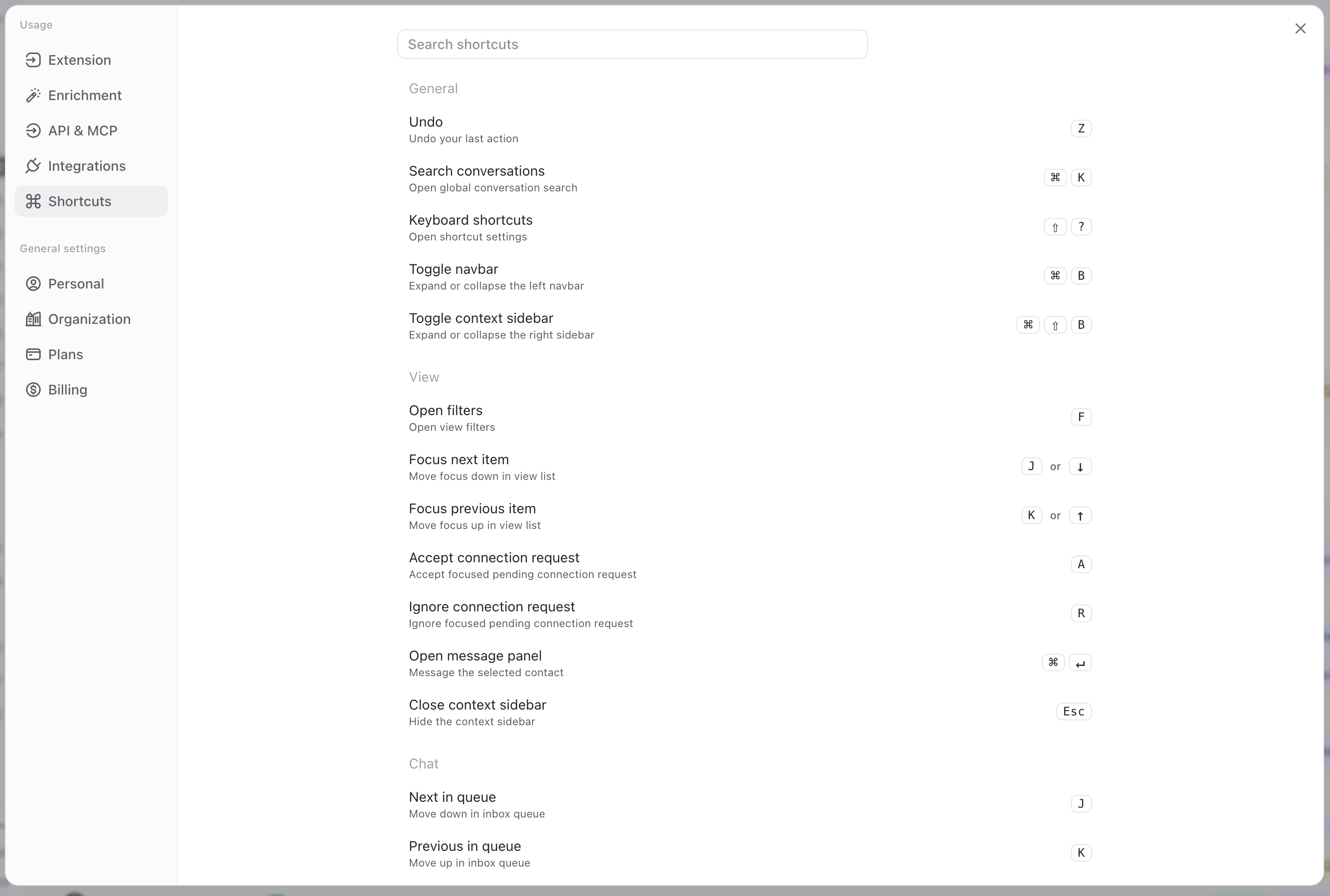
## See all shortcuts inside TalkToHumans
Press `Shift + ?` from anywhere in the app to open the complete shortcut list.
You can also open the help menu in the bottom-right corner and select **Shortcuts**.
 ## A real example of a shortcut flow
Here is a real flow using shortcuts, so you get a good idea of how to combine them efficiently:
1. Open a contact view, like **Imported**
2. ress `J` or `K` to focus a specific contact.
3. Press `Enter` to open their contact panel.
4. Press `Enter` again to open the message panel.
5. Press `Enter` once more to focus the composer.
6. Write your message, then press `⌘ Enter` to send it.
7. Unfocus the composer by pressing `Esc`.
8. Tag the conversation by pressing `L`, then use the arrow keys and press `Enter` to select the right tag.
9. Press `J` to move to the next contact.
10. Press `E` to archive this contact if it's not relevant.
11. Rinse & repeat
## List of all shortcuts
### Global
| Action | Shortcut |
| ---------------------- | ----------- |
| Search conversations | `⌘ K` |
| Open shortcut list | `Shift + ?` |
| Expand/collapse navbar | `⌘ B` |
### Contacts and companies
| Action | Shortcut |
| ------------------------------ | ------------- |
| Next contact or company | `J` or `↓` |
| Previous contact or company | `K` or `↑` |
| Open focused contact/company | `Enter` |
| Open message panel for contact | `⌘ Enter` |
| Open filters | `F` |
| Accept connection request | `A` |
| Ignore connection request | `R` |
| Edit contact tags | `L` |
| Edit company tags | `Shift + L` |
| Open contact tab | `M` |
| Open company tab | `C` |
| Open company website | `W` |
| Expand/collapse context panel | `⌘ Shift + B` |
| Close current panel | `Esc` |
### Inbox and conversations
| Action | Shortcut |
| --------------------- | ----------- |
| Next conversation | `J` |
| Previous conversation | `K` |
| Mark read/unread | `U` |
| Edit contact tags | `L` |
| Edit company tags | `Shift + L` |
| Archive/unarchive | `E` |
| Favorite/unfavorite | `S` |
| Mute/unmute | `H` |
| Focus composer | `Enter` |
| Go back | `Esc` |
### Composer
| Action | Shortcut |
| ----------------------------- | ------------------- |
| Send now | `⌘ Enter` |
| Schedule follow-up | `⌘ Shift + Enter` |
| Start a sequence | `Enter` three times |
| Open message templates | `;` twice |
| Open AI actions | `,` twice |
| Record a voice note | `V` twice |
| Attach files | `⌘ U` |
| Switch between message/InMail | `⌘ I` |
| Open custom variables | `/` |
| Unfocus composer | `Esc` |
| Attach recorded voice note | `Enter` |
| Discard recorded voice note | `Esc` |
When the templates menu is open:
| Action | Shortcut |
| ---------------------- | -------- |
| Open sequences | `1` |
| Open message templates | `2` |
### Active sequences
| Action | Shortcut |
| ------------------------- | -------- |
| Pause/resume sequence | `P` |
| Edit first upcoming step | `1` |
| Edit second upcoming step | `2` |
| Edit third upcoming step | `3` |
## A real example of a shortcut flow
Here is a real flow using shortcuts, so you get a good idea of how to combine them efficiently:
1. Open a contact view, like **Imported**
2. ress `J` or `K` to focus a specific contact.
3. Press `Enter` to open their contact panel.
4. Press `Enter` again to open the message panel.
5. Press `Enter` once more to focus the composer.
6. Write your message, then press `⌘ Enter` to send it.
7. Unfocus the composer by pressing `Esc`.
8. Tag the conversation by pressing `L`, then use the arrow keys and press `Enter` to select the right tag.
9. Press `J` to move to the next contact.
10. Press `E` to archive this contact if it's not relevant.
11. Rinse & repeat
## List of all shortcuts
### Global
| Action | Shortcut |
| ---------------------- | ----------- |
| Search conversations | `⌘ K` |
| Open shortcut list | `Shift + ?` |
| Expand/collapse navbar | `⌘ B` |
### Contacts and companies
| Action | Shortcut |
| ------------------------------ | ------------- |
| Next contact or company | `J` or `↓` |
| Previous contact or company | `K` or `↑` |
| Open focused contact/company | `Enter` |
| Open message panel for contact | `⌘ Enter` |
| Open filters | `F` |
| Accept connection request | `A` |
| Ignore connection request | `R` |
| Edit contact tags | `L` |
| Edit company tags | `Shift + L` |
| Open contact tab | `M` |
| Open company tab | `C` |
| Open company website | `W` |
| Expand/collapse context panel | `⌘ Shift + B` |
| Close current panel | `Esc` |
### Inbox and conversations
| Action | Shortcut |
| --------------------- | ----------- |
| Next conversation | `J` |
| Previous conversation | `K` |
| Mark read/unread | `U` |
| Edit contact tags | `L` |
| Edit company tags | `Shift + L` |
| Archive/unarchive | `E` |
| Favorite/unfavorite | `S` |
| Mute/unmute | `H` |
| Focus composer | `Enter` |
| Go back | `Esc` |
### Composer
| Action | Shortcut |
| ----------------------------- | ------------------- |
| Send now | `⌘ Enter` |
| Schedule follow-up | `⌘ Shift + Enter` |
| Start a sequence | `Enter` three times |
| Open message templates | `;` twice |
| Open AI actions | `,` twice |
| Record a voice note | `V` twice |
| Attach files | `⌘ U` |
| Switch between message/InMail | `⌘ I` |
| Open custom variables | `/` |
| Unfocus composer | `Esc` |
| Attach recorded voice note | `Enter` |
| Discard recorded voice note | `Esc` |
When the templates menu is open:
| Action | Shortcut |
| ---------------------- | -------- |
| Open sequences | `1` |
| Open message templates | `2` |
### Active sequences
| Action | Shortcut |
| ------------------------- | -------- |
| Pause/resume sequence | `P` |
| Edit first upcoming step | `1` |
| Edit second upcoming step | `2` |
| Edit third upcoming step | `3` |