> ## Documentation Index
> Fetch the complete documentation index at: https://talktohumans.app/docs/llms.txt
> Use this file to discover all available pages before exploring further.
# 📊 Analytics
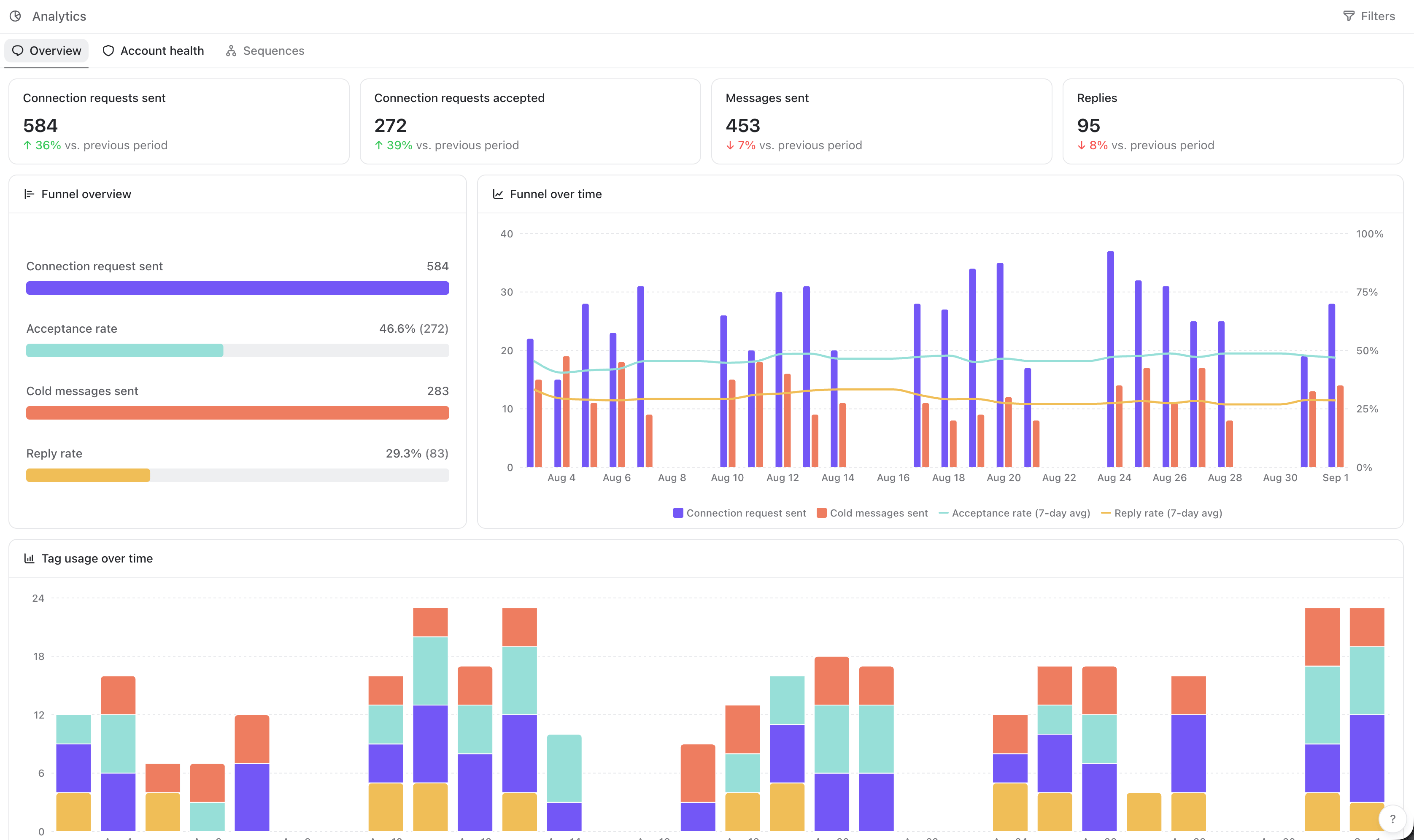
How many connection requests did we send? How many people replied? Which tags are we actually using? And are we getting close to a LinkedIn safety limit?
TalkToHumans brings those answers together in **Analytics**.
 ## Filter your analytics
Click **Filters** in the top-right corner to choose what to include:
## Filter your analytics
Click **Filters** in the top-right corner to choose what to include:
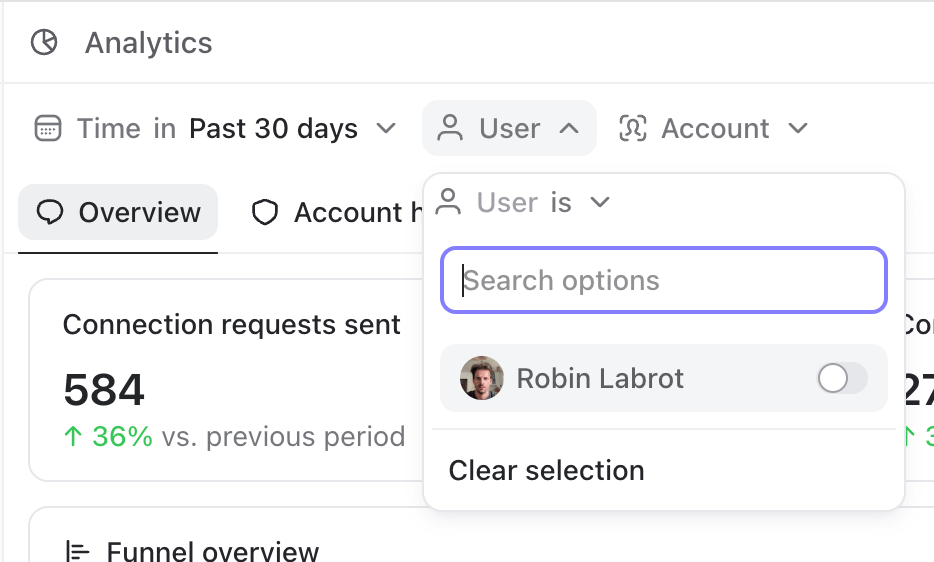 You can filter by:
* **Time:** any period within the past year. The default is the past 30 days.
* **User:** one or several teammates in your TalkToHumans workspace.
* **Account:** one or several connected LinkedIn accounts.
Leave **User** or **Account** empty to include the entire workspace.
All Overview widgets use the same filters, so you can move from a company-wide view to a single teammate or LinkedIn account without rebuilding the report.
You can filter by:
* **Time:** any period within the past year. The default is the past 30 days.
* **User:** one or several teammates in your TalkToHumans workspace.
* **Account:** one or several connected LinkedIn accounts.
Leave **User** or **Account** empty to include the entire workspace.
All Overview widgets use the same filters, so you can move from a company-wide view to a single teammate or LinkedIn account without rebuilding the report.